Making button holes when knitting using Brother garter carriage.

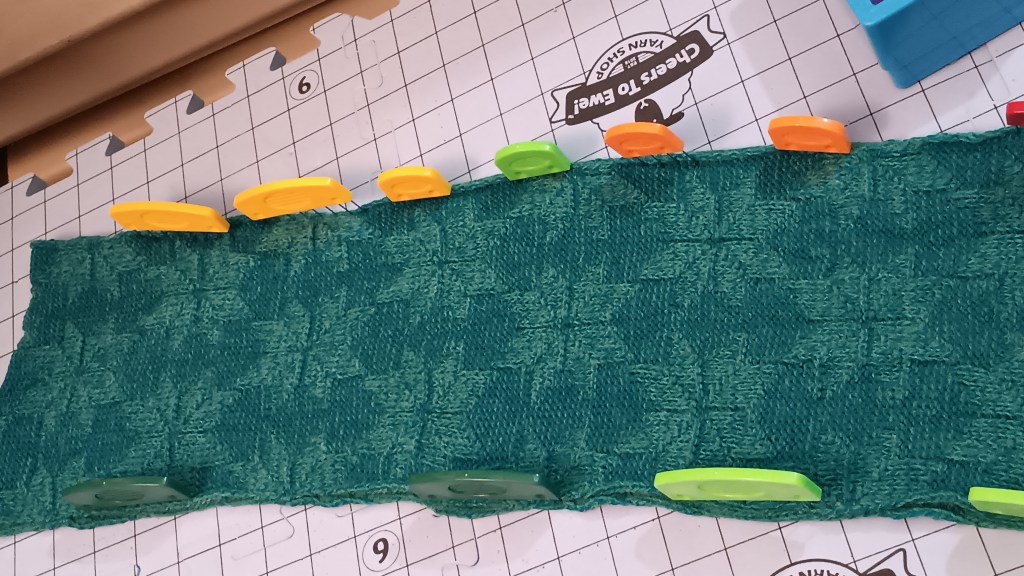
It is very easy to make horizontal button holes for small buttons when knitting projects using garter carriages. This blog is a text version of the video posted on the same subject.

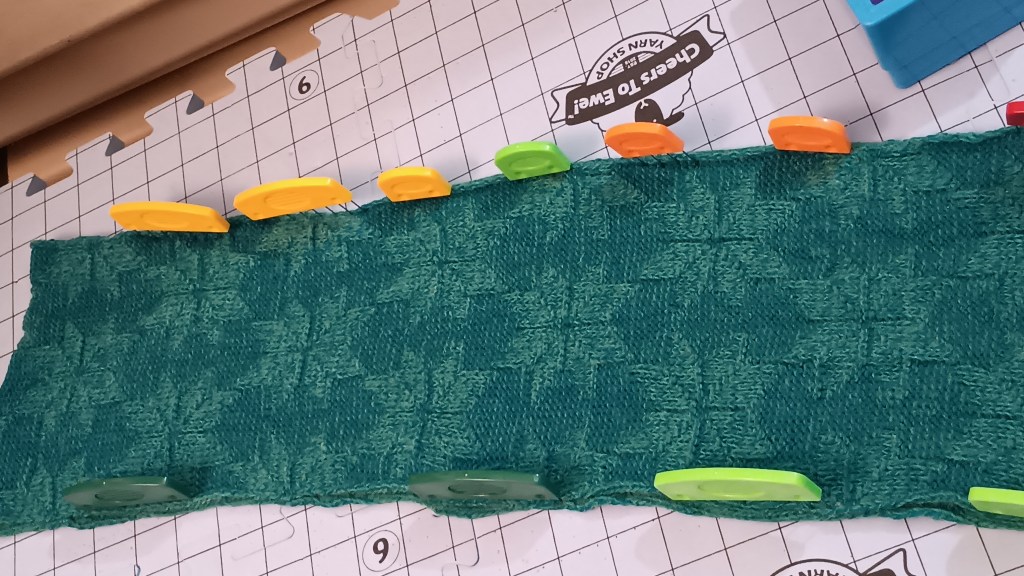
First, decide the position of the button holes. Pick two stitches (in my demo, I decided to pick two sets of two stitches where I knew the machine needles, not the carriage’s, would knit). Move the left stitch out of these two to the stitch to the left of it and the right stitch to the right of it. Push the freed needles back to B position.

Knit one row with your usual pattern. The needles that were empty, now have yarn hooked on them (no stitch formed). Using a double eyelet tool, take the yarn off one hook, twist it, and then put back into a needle. You just formed a loop. Do it for the remainin needles in the button hole.

Continue to knit as usual.

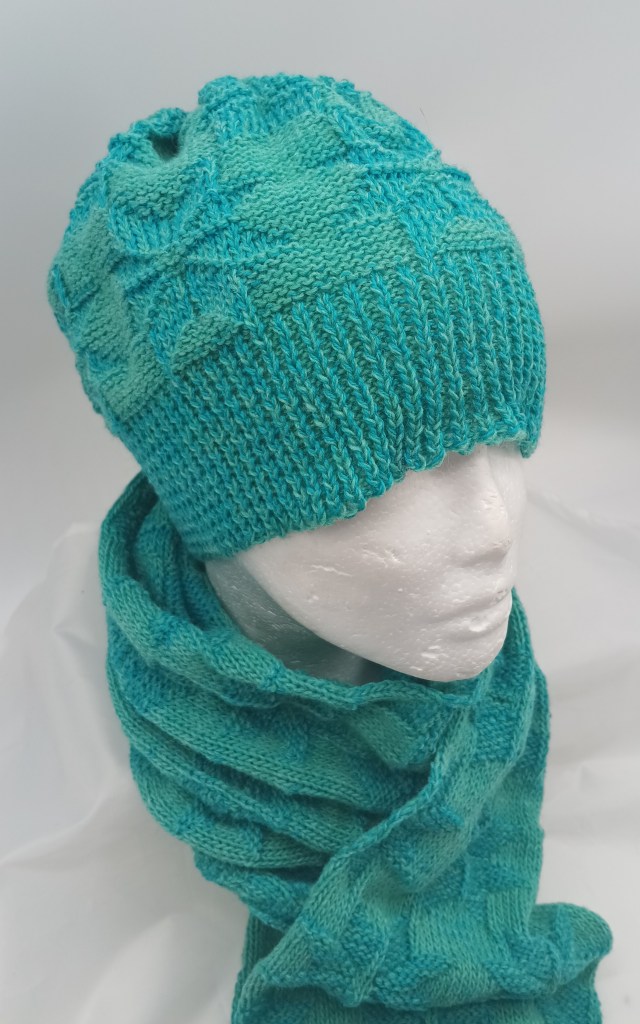
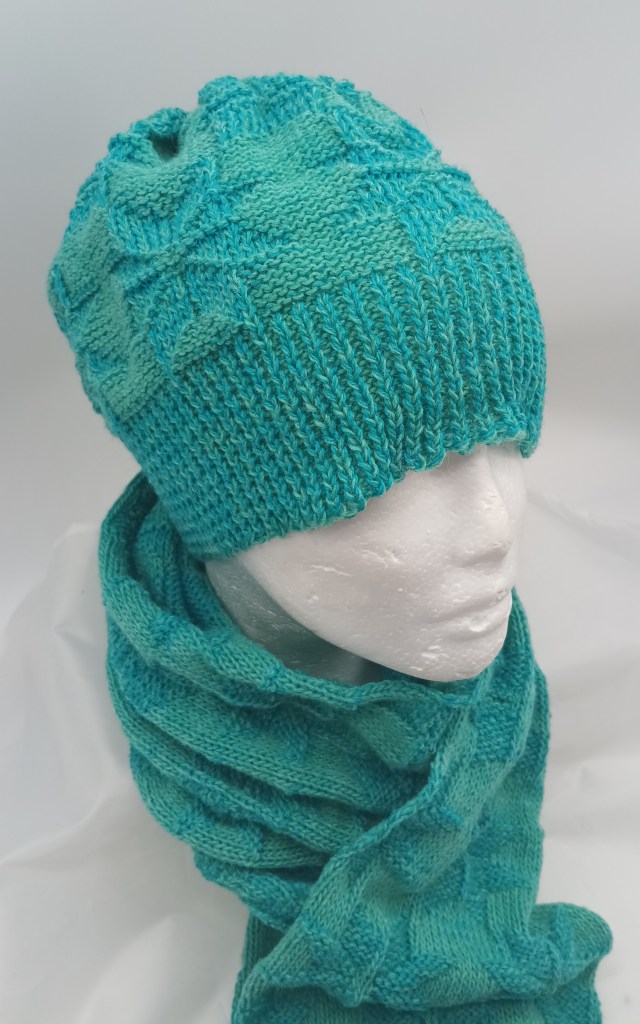
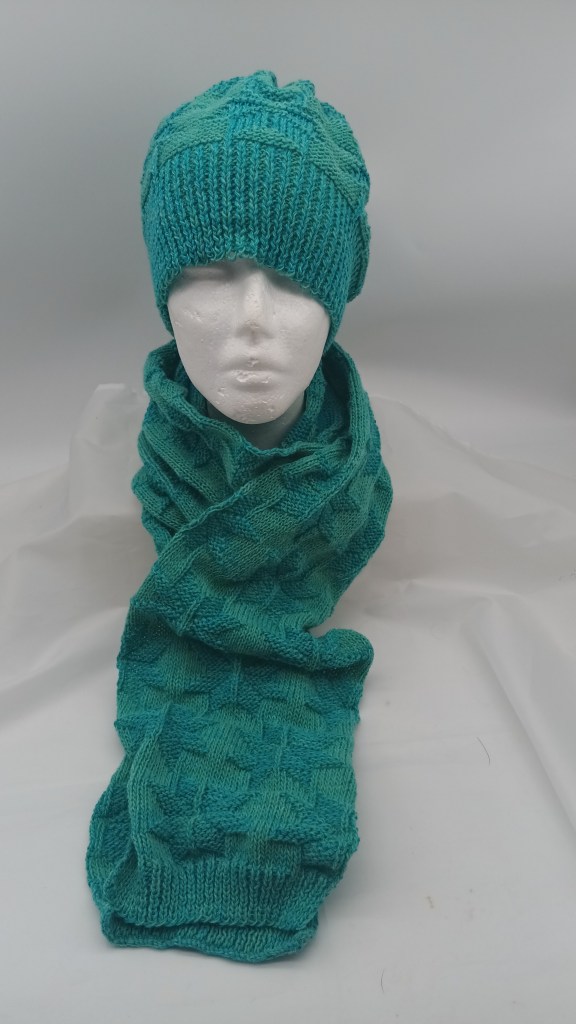
Hats with snowflakes knitted with two-color garter carriage

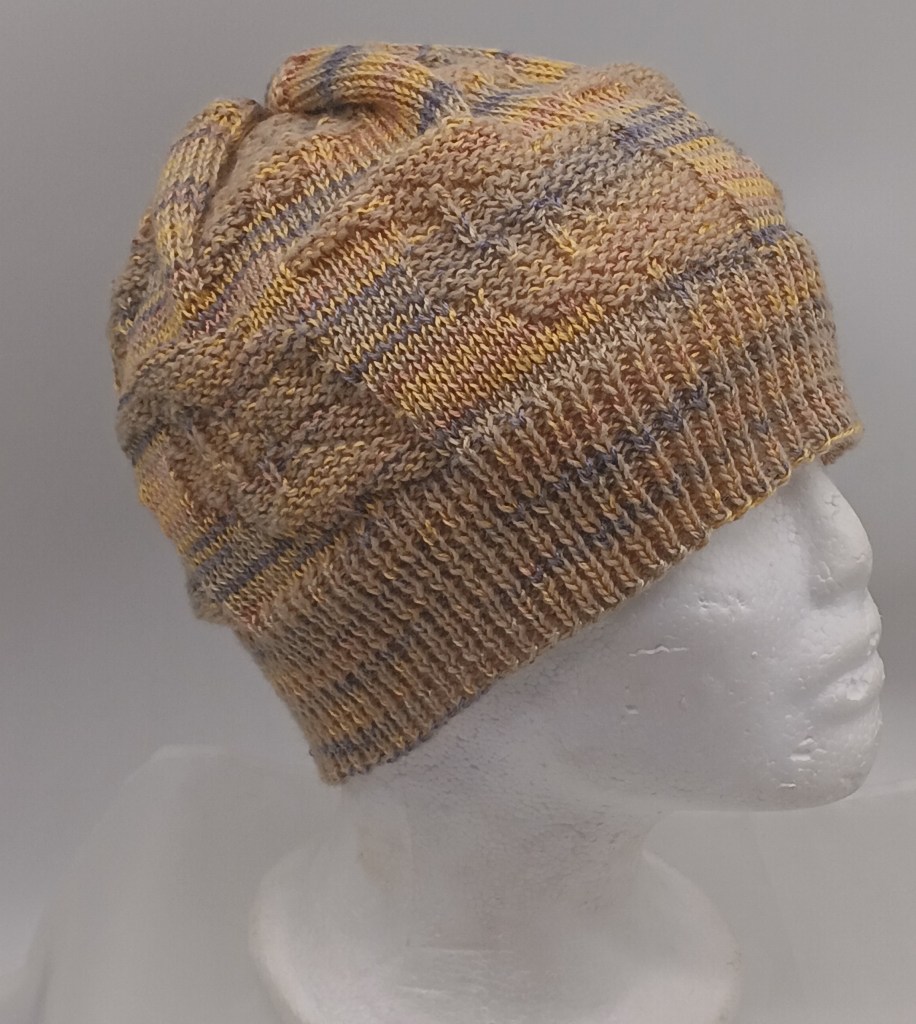
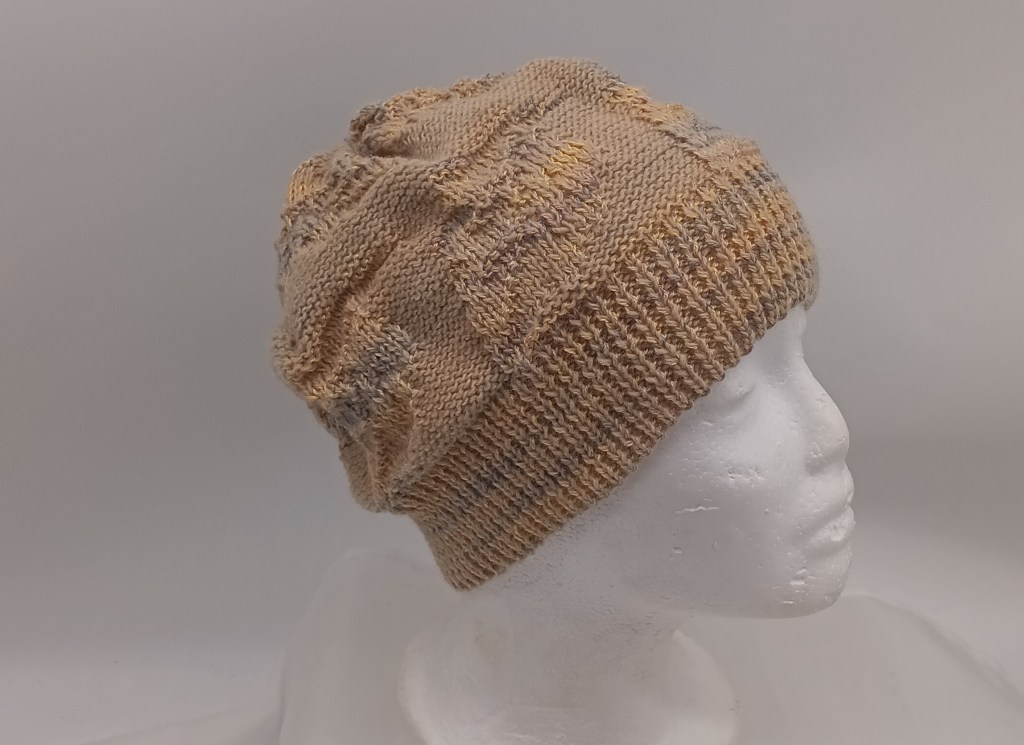
I loved this pattern so much that I tried a few combiantions of yarns and i am will experimenting. Basically, all hats have 21 rows of 1×1 ribbing (pattern 532 in the stitch book), then one full pattern with snoflakes (pattern #541 in the stitch book). For bigger/deeper hats I sometimes finished with 1×1 ribbing.

Color combo #1: The main yarn (on the right-hand side) is 50/50% wool/acrylic blend for handknitting. It is a teal color more on the green spectrum

Color combo #2:

Diary of my two-color garter carraige projects

What the two-color garter carriage did for me is hard to put in words. My journey with knitting machines started when i realized i had too much yarn on hands. After experimenting the crap out of Addi (I knitted sweaters, with cables, after NUMEROUS hats, scarves, and fingerless gloves) and Brother KX350 (also seaters with cables and socks), I needed more challenging projects. I could not decide which machine to choose, so to try them all I ended up buying multiple second-hand knitting machines… All kinds… So many that I started running out of space so I had to pass along all those machines. I cleaned them, tested them, figured out what I like about them, and did not. Moved on to the next one. … But I still really never had a chance to sit down and experiment and craft with all that yarn I accumulated…

Then I discovered Garter carriage. Thank god, out of a dozen garter caraiges I picked up along with the mahcines, one was fully operations (I am still fixing 11 others). The minute it created the perfect 1×1 ribbing, without curse words and snags that I was getting on the ribber, I was in love. I immediately knitted a blanket, and, as usual, multiple scarves and hats. I would not say I got bored (there were so many patterns and projects still to experiment with). But I saw the wonderful effects that two-color garter carriages created, so I wanted to continue to experiment (and along the way, to use all that yarn I have). So, I got the adapter.

After overcoming the initial learning curve, I started enjoying watching my two-color garter carriage making various fabrics so much, that I would bring my coffee into the room and just watch it knit. I would be combing impossible yarn. Consult with my son, who is an artist on colors and designs. Create my own designs… Oh boy. I finally had that long-awaited creativity and experimentation that I was yearning all this time. I still fix my machines and pass them along, but I also create these new designs, comine colors, test new patterns, create my own patterns…. The level of satisfaction it brings is just indescribable. Being creative and crafting, according to smart scientists, increases the levels of dopamine… These levels are now spilling to other areas of my life. Double benefits. Thanks, two-color garter carriage. I cherish and appreciate you!!

Hats with leaves

Hats with snowflakes.

Retaining bar vs knitting machine model chart

The table below lists the lengths and widths of various knitting machines I measured myself. Use this table as a reference to ensure you purchase the correct retaining bar for your machine.


Model
Retaining bar
materialsponge?length, inch/cmwidth, inch/mm
Brother KH500metalyes41/1040.375/10-10.5
Brother KH551metalyes41/1040.375/10-10.5
Brother KH552metalyes41/1040.5/11-11.5
Brother KH581metalyes41/1040.5/11-11.5
Brother KH585metalyes41/1040.5/11-11.5
Brother KH588metalyes41/1040.5/11-11.5
Brother (Genie) 710metalyes41/1040.5/11-11.5
Brother KH800metalyes41/1040.5/11-11.5
Brother KR810 ribberplasticno
Brother KR830 ribberplasticno
Brother KR850
ribber
plasticno
Silver Reed SK120metalyes42/1095 mm/0.2 inch

About retaining bars in knitting machines and ribbers.

… this article is in constant progress as I learn about various knitting machines and their retaining bars.

Almost all knitting machines and ribbers have retaining bars. Some machines have retaining bars with a sponge attached to them. Some machines (the majority of plastic flatbed machines) have only a long and narrow sponge (without the metal holder). Ribbers come with either a “retaining bar+sponge” assemble or only with the plastic retaining bar (no sponge strip).

The main role of these retaining bars is to hold the needles in place and to prevent it from bouncing up and down when knitting.

Below are the situations when you want and need to remove (and inspect in many cases) the retaining bar:

  1. When you just purchased your machine (especially used and NOT recently serviced), the first thing you need to do is to remove your retaining bar and inspect it. I made a short video on how to do it because I have been asked about it so many times by my customers.
  2. When you need to replace faulty needles.
  3. When you need to clean your machine.
  4. When you notice your knitting machine mispatterning without any good reason.

Hopefully, you purchased your knitting machine new or recently serviced. In this case, the sponge should be 1-2 cm above the metal edge of the retaining bar.

But in most cases, this is not the case. Thus, it is possible that when you remove the retaining bar, you will see a disintegrated sponge. I’ve seen some spongy strips being just a gooey mess. The old sponge needs to be removed as soon as possible (since it often corrodes the needles) and replaced.

There are two ways to approach this replacement.

First approach: just replace the spongy strip

If you decide to replace the sponge, you will need to remove all this goo. I first use a flat-head screwdriver to scrape all the residue out of the retaining bar canal. Then, I use “Goo Gone” to remove the rest of the residue. I typically do it outside because it is a very messy process. I pour a thin layer of “Goo Gone” liquid into the retaining bar and wait for hours. Then I scrape the remains of the old sponge again with the screwdriver. Lastly, I wash the retaining bar with soap and water, wipe it really well and let it dry (or blow dry it). You can purchase just the sponge in my store.

I sometimes read in forums that some thrifty machine knitters get a simple weather stripping and use them as sponge strips. Well, those have different dentistry and sometimes do not have a silky ribbon on one side. Also, they are not suited to be exposed to oils and might decompose rapidly leaving a sticky (potentially unremovable) residue inside your machine.

I read that experienced machine knitters use different ways to attach the spongy strip to the retaining bar. (By the way, the width of the spongy strip is not as critical and it can be a little bit narrower than the channel of the retaining bar but not by much). I tried different glues and my current choice is hot glue. Some machine knitters use wood glue. I apply the glue to the metal part of the retaining bar and attach the strip to the metal by the sponge side (not the silky ribbon side). I then tape the ends if the sponge to the plastic ends. I like using medical tape. Only one layer of the tape is enough to secure the ends of the sponge. More layers will only get stuck when you insert the newly refurbished retaining bar back into the machine. To avoid stripping this tape, push it down on the ends of the retaining bar while inserting it into the machine.

Second approach: buy a new retaining bar

Or if you do not feel like dealing with all this mess, you can purchase a retaining bar with a sponge already in it. Before you order a new retaining bar, make sure you measure the dimensions of your old bar: its width and its length.

Most commonly used by machine knitters Brother, Studio/Silver Reed/Singer, and Toyota knitting machines have somewhat similar retaining bars but there are some differences depending on the model and the gauge of the machine.

For the retaining bars for these machines, there are three different lengths (41, 43, and 47 inches) and two different widths (0.375 and 0.5 inches). This is why it is important to measure your old retaining bar to ensure that you are getting the retaining bar suitable for your machine. Most JUKI, Toyota, Silger/Silver Reed/Studio, Artisan knitting machines use 0.375-inch wide retaining bars. The lengths are either 41 or 43 inches (depending on the model).

I’ve read stories on FaceBook groups, where the new machine knitters were puzzled by the fact that they JUST replaced the sponge bar and the needles do not move, advance, or retract the way they are supposed to. I especially see I happen to be the owner of 8-push button Brother knitting machines. There is somewhere out there some incorrect information on the retaining bar for these machines. 4-push-button machines use a 0.375-inch wide retaining bar and the 8-pushbutton machines use a 0.25-inch wide retaining bar. (I’ve refurbished over a dozen pushbutton machines and I know the difference first-hand).

Brother ribbers use plastic retaining bars without sponges. When (re) inserting the retaining bar into the Brother ribbers, the concave surface (the “channel”) should face you.

There are machines with unique retaining bars – I will update the blog soon when I learn more. I am also putting a table on machines (and models) and retaining bar compatibility. Stay tuned!

In the meantime, enjoy your adventure in retaining/sponge bar replacement!

PS. I measured several dozens of retaining bars with my calipers. Even though the “official” measurement is 0.375 and 0.5 inches, mine are measured as 0.40-0.41 and 0.44-0.46 inches respectively. This inaccuracy in inches makes me like the mm scale (aka metric) a bit better. So the narrower retaining bars are 10.0-10.5 mm while the wider are 11-12 mm wide. Who knew that just 1 mm would make such a difference but it does! I had an incorrect bar installed on my KH581 8-pushbutton machine and the needles would not go back from E to B (or A) position!!!

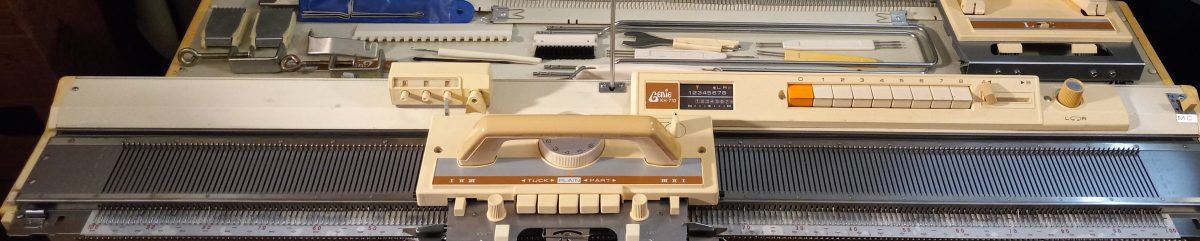
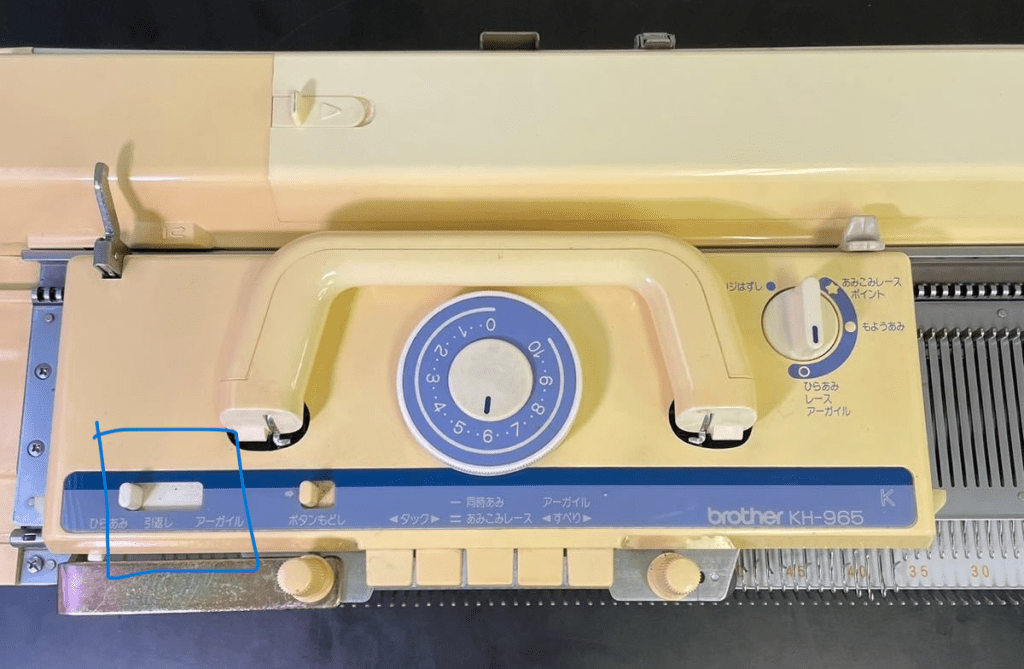
The difference between Brother KH965e, KH965i and KH965.

Just a quick note on the differences between Brother knitting machines under the model numbers KH965, KH965e, and KH965i. The reason there is a lot of discrepancies and misunderstandings about the additional “i” in the model number is that these machines are very scarce and because the functionality seems to be . They are very desirable and those that are still available on the used market are still in great shape.

First, about “e” :

Even if Brother KH965e indeed exists, it would simply mean an anniversary edition since “e” stands for “eleganza” (the latest anniversary edition model to the best of my knowledge is KH950E). This machine would be identical to the functionality of the KH965 knitting machine but the color combination of the carriage, end caps, and control panel might be different (like in the case of KH930/930e and KR850/850e setups). However, I’ve seen only the KH260/KH260e, KR850/850e and KH930/KH930e combinations. Brother KH965 was released to the market significantly later (by about 5 years), so there will be no even for an “anniversary edition”. If you’ve seen the KH965e model and want to prove me wrong, shoot me a message.

Now about “i”:

The differences between the KH965 and KH965i models of electronic brother knitting machines are subtle and might vary depending on which market the machine was made for.

Some think that “i” in KH965i stands for “intarsia”. However, both KH965 and KH965i have built-in intarsia knitting capabilities according to the instructions (as well as their a bit older analogs, KH930 and KH940).

I researched pictures of a lot of pictures of various KH965(i) machines and all of them have the intarsia option. … which kind of makes sense because KH965(i) is an updated version of KH930/KH940, which also had this option.

Some think that “i” might stand for is “interactive” or “interface” and the difference is that KH965i has a compartment to insert the PPD disk, however, KH965 has the same disk port (and the manuals for these machines both mention the compartment and disk port). So, basically, KH965i can accept files from external sources without any modifications to the machine.

Knitters who prefer a more advanced way or pattern transfer use a special cable instead of the PPD disk. This cable is inserted into the slot for the disk for file transfer through special software.

The KH965i model has also the capability of inserting the cable into the machine itself (originally assumed to be for the FB 100 disk drive and file transfer). And this is one of the main differences between KH965 and KH965i.

Another critical difference is the settings on the selection dial on the carriage. Brother KH965 does not have a KCII setting…

…unlike Brother KH965i.

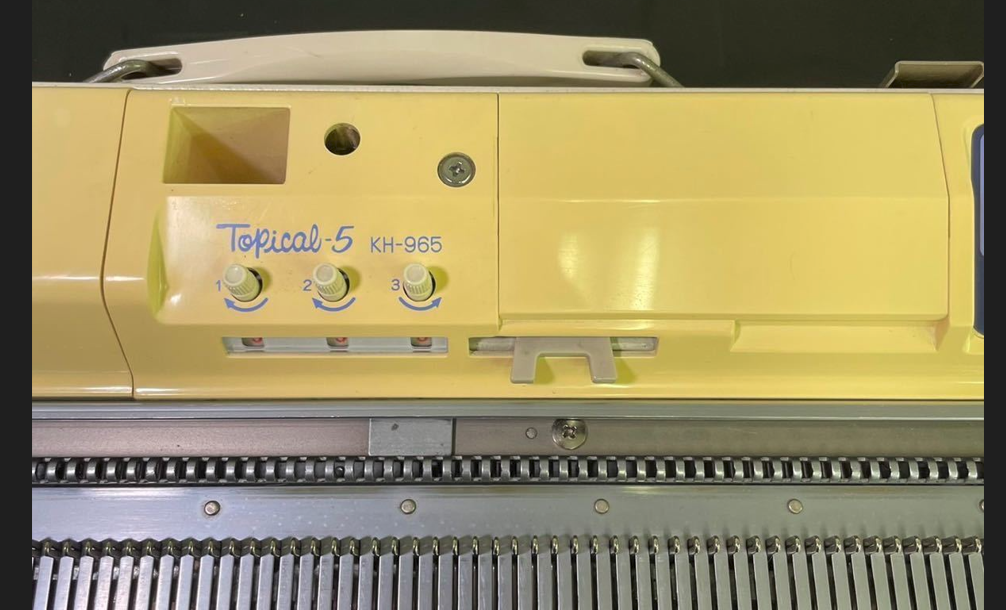
However, KH965 released to the Japanese markets (Topical-5) noticeably has also 4 positions on the selection dial, which probably implies KCI and KCII settings (Sorry – I would be more sure but I don’t read Japanese).

Thus, it seems that even if your KH965 does not have “i” next to its name, it might still have functionalities of the KH965i machine.

Thus, to identify whether you have a KH965 or KH965i, look for:

  • KCII option on the selection cam on the carriage (or four different options on that dial)
  • A port on the back panel of the machine.

All other functionalities of the KH965 and KH965i are the same (namely, memory, functions of the buttons on the panel, etc).

I really hope you are a lucky knitter who has Brother KH965(i) in their collection!

Tension spring for Brother Knitting machine

Carriages of Brother knitting machines have several types of springs to ensure smooth needle handling. This article is about a medium size spring, part of the intricate mechanism of Brother knitting machine carriages. These springs can be purchased in my store.

In particular, this short blog article is about a tension spring responsible for smooth the movement of the middle button on the carriage. (At the end of this article, I show other places in the carriage where the same type of spring can be used). This button is typically used to knit fair isle or/and to reset all other buttons.

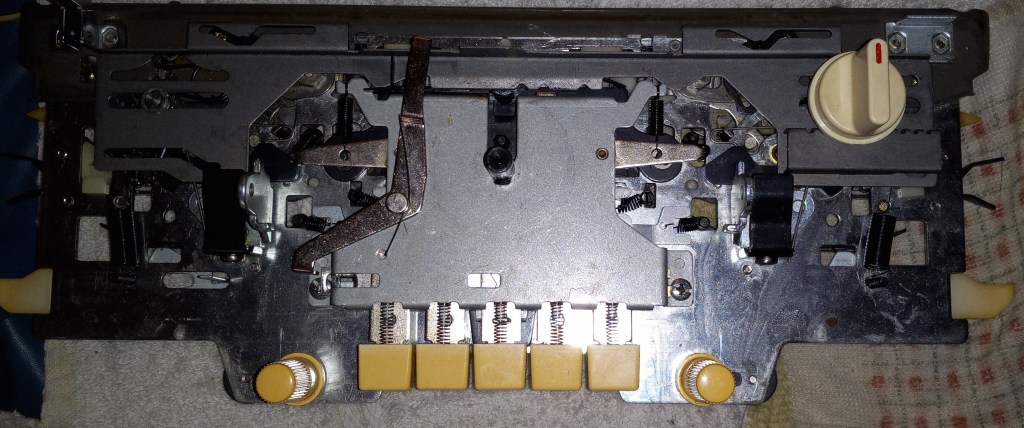
To expose that spring, one needs to remove the plastic carriage cover (this step NOT covered in this article) and then remove the metal cover.

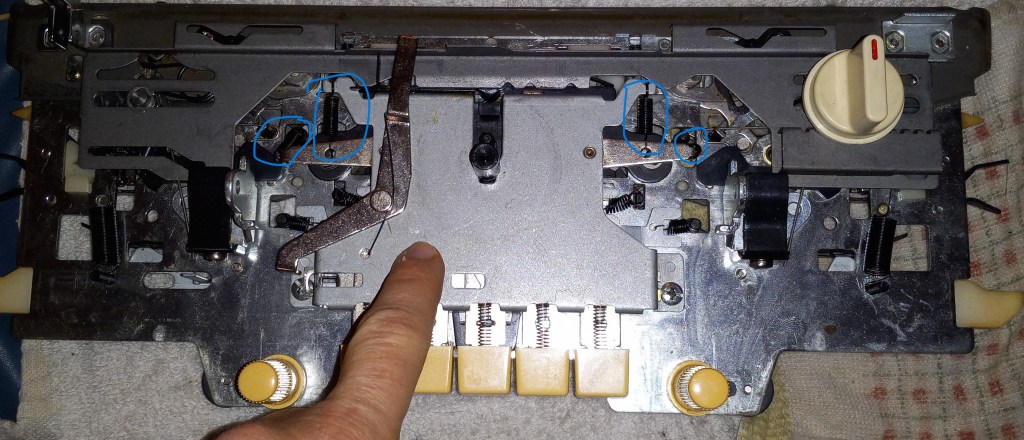
For that purpose, remove the two screws marked below.

The plate will then hang by the springs marked in the picture below but they do not have to be removed. Just push the metal plate out of the way. If the springs detach, they are easily to put back. Just take a picture of the agreement before removing the cover.

Once the cover is removed, you will see the springs right away. In my case, one of the springs was simply missing and the mechanism was not retracting automatically the way it was supposed to.

So the replacement spring was placed where one was missing. I made a short video showing where the spring was installed.

“How” the spring was installed is NOT shown in that video because it is kind of hard to capture how to attach the spring. But the loops of the spring need to grab the posts marked in the picture below.

The same spring can be used in positions shown below. The springs marked with crosses are either small/bigger in size or a spring without the loops (springs for the buttons) and thus, cannot be used.

Personal knitting machines museum (those I personally tested_.

MACHINES:

Standard (4.5 mm gauge/distance between needles):

Basic models: Brother KH550

4-push buttons: Brother KH551

8-push buttons: Brother KH552, Brother KH581, Brother KH585, Brother KH588,  Brother KH601, Brother (Genie) KH710

Punch-cards:

Studio/Silver Reed.Studio.Empisal: Singer 321, Studio 326, Studio 360K, Singer 360K, Singer 210, Singer 700 memomatic

Brother: KH800, KH830, KH836, KH840, KH860, KH890,

Electronic: Brother KH930,  Brother KH930e, Brother KH940

Mid-gauge:

Basic models: KX350 (7 mm gauge), KnitKing Simple Seven (7 mm),  Singer KH100 (8 mm gauge)

Bulky:

Basic models: Brother KH210 (9 mm), Silver Reed SK120 (8 mm)

Punch-cards: Brother 260, Brother 260e

RIBBERS:

Standard: Studio SRN321, Brother KR580, Brother KR810, Brother KR830, Brother KR850, Brother KR850e,

Bulky:

Brother KH930E prepared for Mercedes in December 2022

Brother KH930E is identical to Brother KH930. The only difference is This brother knitting machine has greenish color on the carriage. Brother KH930e was an anniversary edition and this is why the difference. Brother KH930 machines are capable of electronic needle selection to knit various patterns. There is a vast library of built-in patterns, which are listed in the stitch book. Custom patterns can be entered manually into the machine. There is an optional cable that allows transferring patterns directly from a computer (through special software).

Now, let’s talk about the specifics of this particular machine.

The machine was cleaned, and every needle was inspected and tested. The whole purpose of my demonstration of knitting on a full bed is to ensure that all needles create even stitches. During the testing, I noticed that one of the needles was creating uneven stitches… I replaced it (without taking the fabric off the machine) and the problem disappeared. See my video and a picture below.

The machine did not come with many tools but I put together a set of tools. Looks like some of the tools that were actually included were added later. For example, the lid color is different from the rest of the machine. The electric cable also looks a bit worn out but works great. Cast-on comb, rails, and lace carriage look in good shape (although I did not test the lace carriage except for making sure all buttons move freely).

The minor things that are still missing:

  • Had copy o the manual; it can be found here. Manuals for KH940 and KH930 are identical.
  • Design Sheets. This is just simple graph paper to create patterns first on paper to visualize them better.
  • Caton-on cable. Any other silky or easy-to-remove yarn would do.
  • Tapestry needle – just use your favorite needle to sew garments together
  • The carriage lock was missing but it is important to have it when putting the machine into storage. It ensures that the carriage does not slide when moved or transported. I included a 3D-printed carriage lock.
  • Wax is not included.
  • Oil can be purchased here

None of these tools are critical to the machine’s functioning and allowed me to successfully test slip, touch, and fair-isle patterning on this machine. Please, refer to the video. All the buttons and levers on the carriage move freely.

I even tested the custom transfer of a pattern I created in special machine knitting software. I used a custom-made cable and transferred the pattern to the machine and then knitted it. This is what I got Couple of nerdy gifts for my nerdy friends

Now about imperfections.

One of the plastic connectors is missing so the model tag is often sliding.

The case lid and the lower part of the machine case have several scratches and dents. Needless to say, it is kind of expected from a 30+-year-old machine and these dings absolutely do not affect how the machine functions.

The most obvious problem is the crack near the switch. But the whole time I knitted on this machine, this did not cause any problems. I am going to cover it with masking tape so the dirt and lint do not get inside too much.

Read more about this model in my Knitting Machine Encyclopedia:  https://mightyknittymachines.com/brother-kh930-electronic-knitting-machine/

Below are the items I knitted while testing this machine.

Reversible neon yellow/green, purple, and blue fair isle cowls/neckwarmers.


My biggest reward and satisfaction will be you making lots more beautiful items.

Brother KH 930E, my second one, restored/cleaned/tested in October 2022

What was done with this machine in terms of cleaning and refurbishing:

  • Included tools that were missing (some are still missing-please read below). All major parts and assesories are included.
  • Cleaned outside
  • Opened the lid and cleaned under the lids using only isopropanol around the electronics
  • Inserted absolutely new sponge and a retaining bar (it is NOT a refurbished retaining/sponge bar). So, it should last longer.
  • Inspected all needs – run 2-3 visual inspections under different “angles”. Replaced all defective needles with brand-new ones.

All assesories are included except for:

  • Pattern book (it can be downloaded from here)
  • A hard copy of the manual (it can be downloaded here. The pdf cover page states that the manual is for KH940 but KH940 and KH930/930e are identical in their operations. The only difference between KH940 and KH930/930e is the size of the electronic storage memory: KH940 has more memory.)
  • Design sheets (they are simply graph paper; if you REALLY need it, any graph paper would do)
  • Tapestry needle (any plastic or metal needle would do)
  • Oil (the container that came with the machine was empty; but regardless – I recommend using newer/fresher oil. I typically use this gun oil)
  • Wax (the one that came with the machine was too old and crumbled)

Here are the pictures of all accessories. They all fit into a small build-in compartment (see the two left-hand side photos below).

The hole in the carriage handle is to attach the machine to the motor. The previous owner made this hole, not me. I don’t own such a motor!!!

Tests performed on this machine:

  • Tested needle selection – works great!
  • Tested on a full bed tuck, slip/part and fair isle – all worked great.
  • Tested file transfer – work great! Knitted a small item from this custom pattern.

Read more about pros and cons of this model in my Knitting Machine Encyclopedia: https://mightyknittymachines.com/brother-kh930-electronic-knitting-machine/

Additional notes on this machine:

  1. During tuck knitting, I always check the tuck wheels to make sure that they are always in their working position (pushed forward). I reach with my hand under the sinker plate while it is still on the bed and check it. When they accidentally slid back, the stitches move slightly forward on the needles and the nest row does not form correctly and a lot of looping occurs. So, this is why in the video you will see me constantly checking under the sinker plate. Once I figures out what to look for in my stitches (namely, not too much moving forward on the needles), I stopped checking these wheels/brushes. I also feel that if this problem occurs, the operator should play a bit with the tension (on the tension mast and on the tension dial) of their yarn. Also, tuck-stitching requires an optimized yarn tension and weight combination.
  2. The machine is somewhat sensitive to the yarn tension. Honestly, they all are so I recommend when starting a new yarn to play with tension on a small swatch before making a garment and knitting fast.
  3. The eight pins where the transfer cable gets inserted are fragile. Please be careful.
  4. Always turn off and even unplug this machine when not using its patterning capabilities. There are stories about motherboards being damaged if left for too long in ON condition. If this happens, replacement boards are available for purchase from somewhere in Honk Kong (but it is a reliable source).

The transfer cable is NOT included. I used my personal one.

Enjoy!