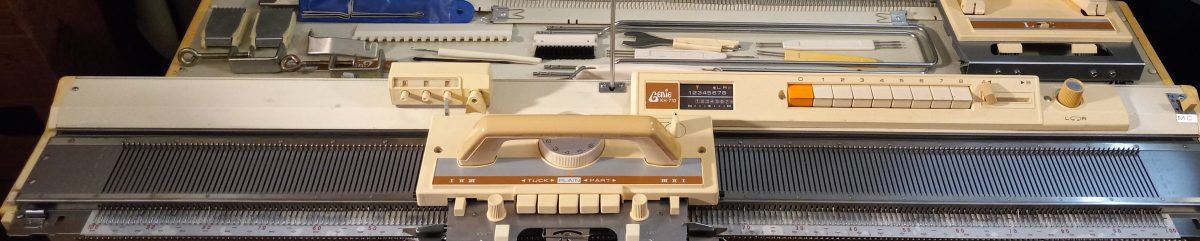
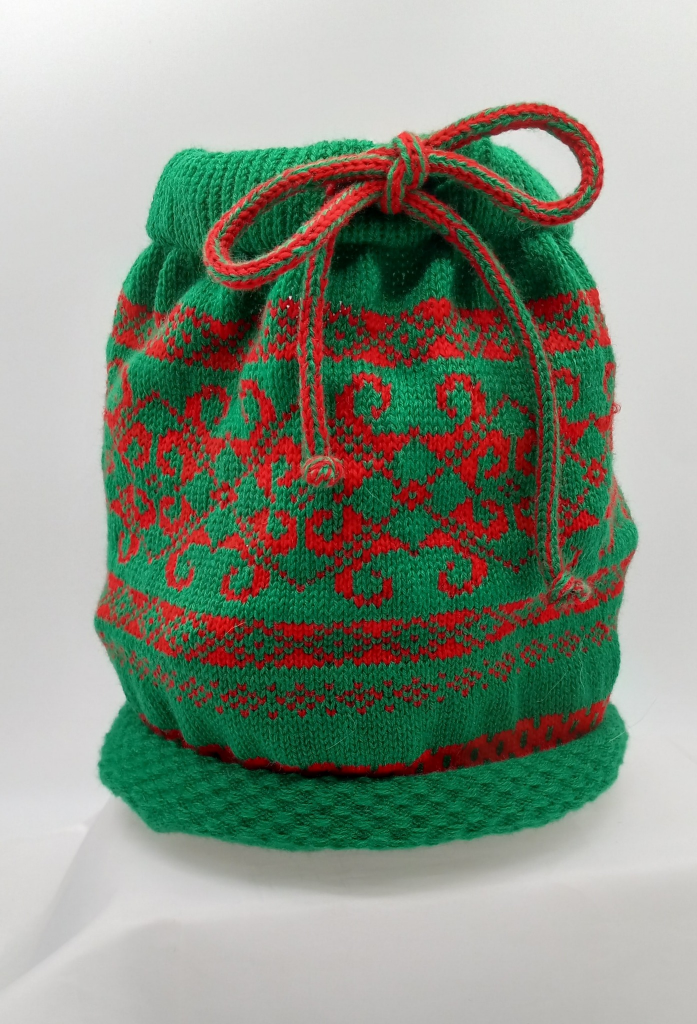
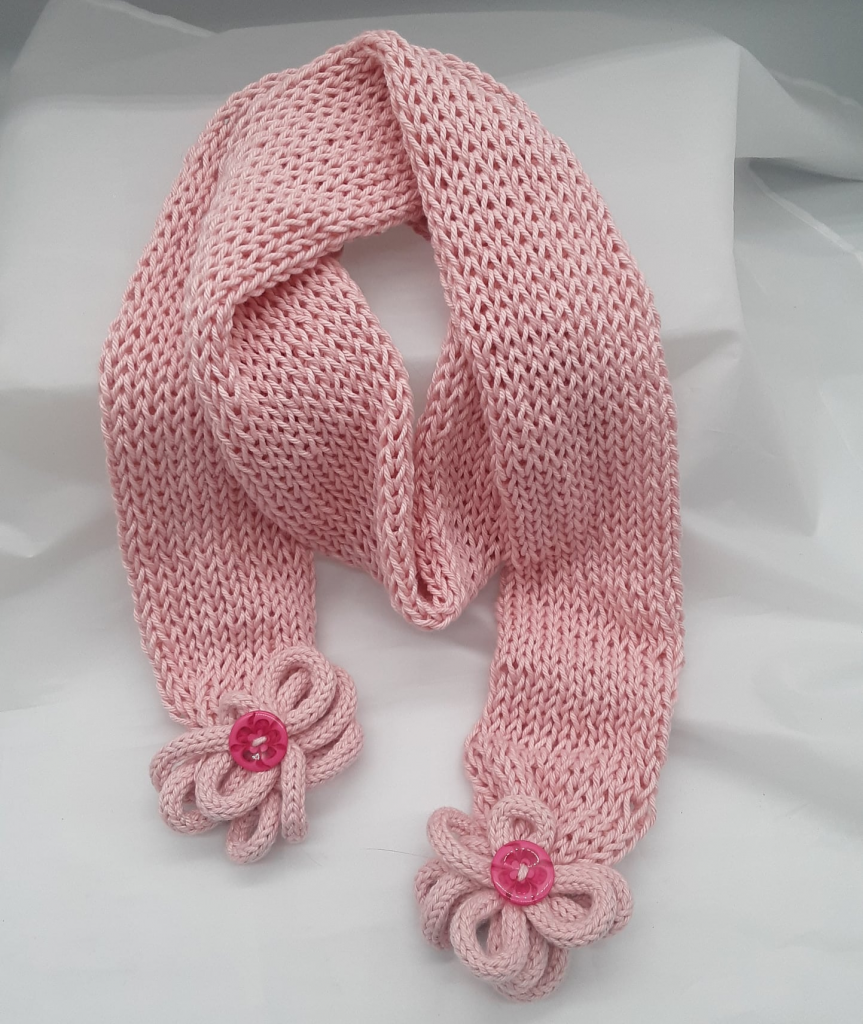
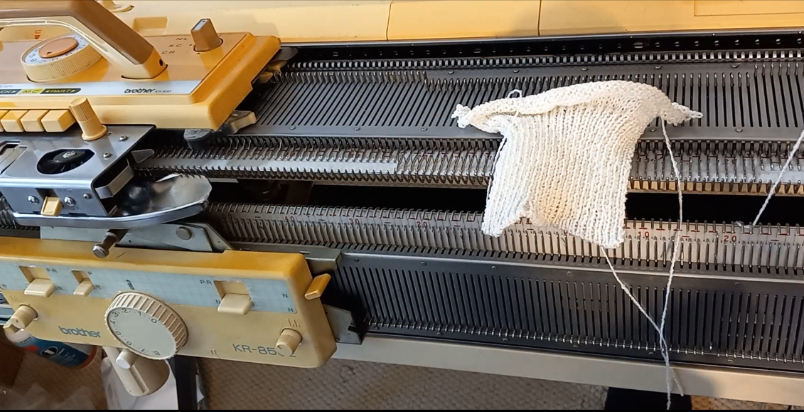
Two-color Fair Isle patterning on Brother KH800 and KH801 knitting machines.

These unique knitting machines, Brother KH800 and KH801, make it super easy to make punch cards and knit various patterns.

However, as I started to explore the steps on how to knit these various patterns, I discovered that the manual does not really present all the steps clearly, especially for the two-color fair isle knitting. So, a combination of researching manuals of similarly (with a ratchet) working push-button machines and my own trial & error, will be presented to you below as an attempt to ease up your learning of how to operate these wonderful machines. I also made a video of how I knitted a fair isle on my own Brother KH800 machine.

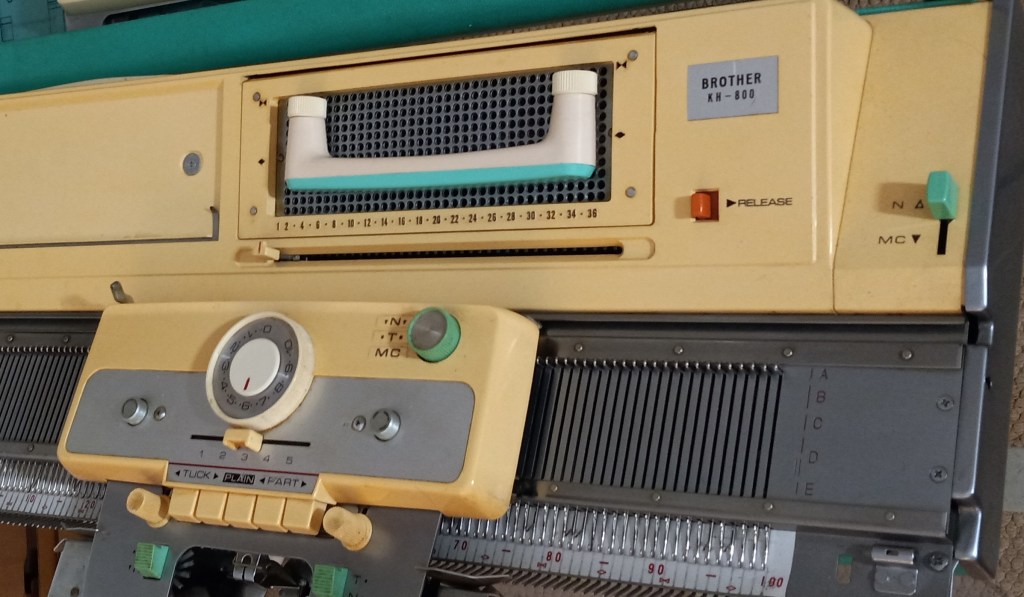
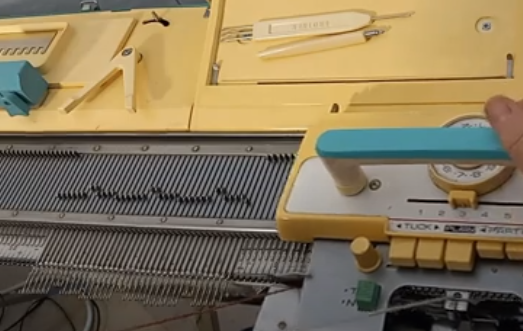
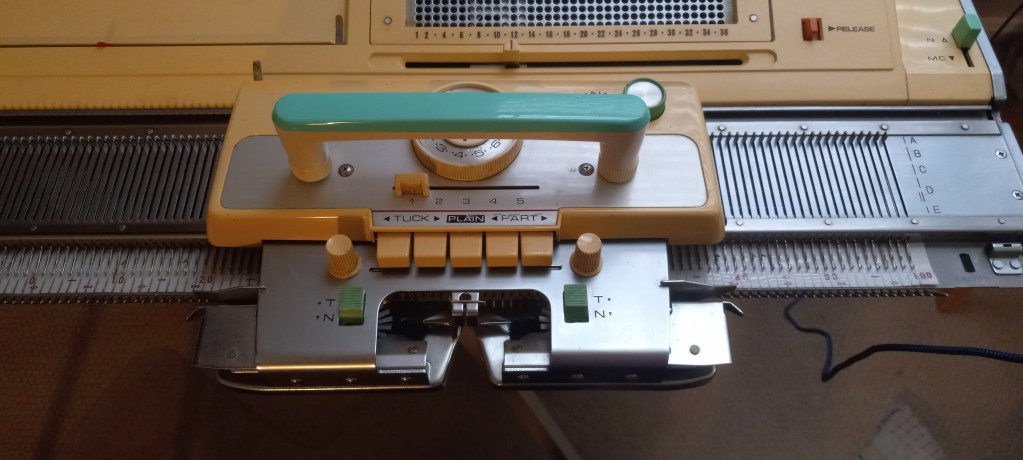
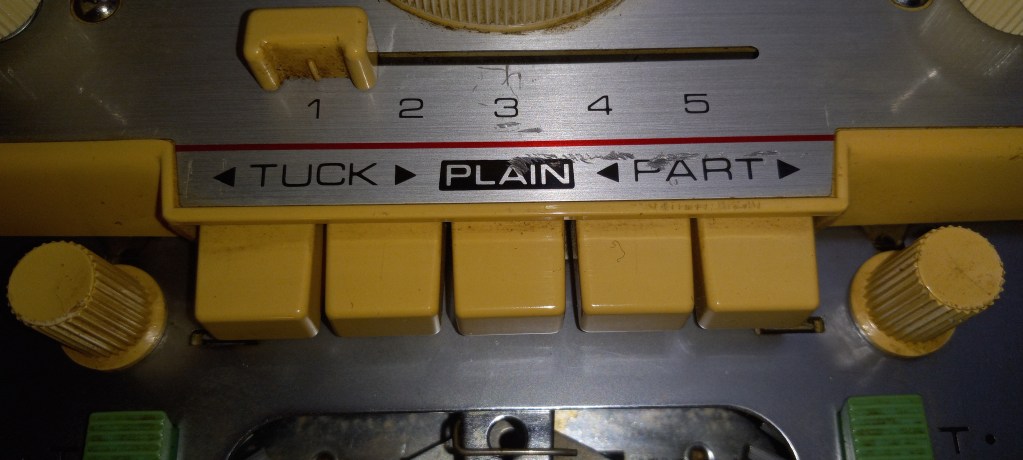
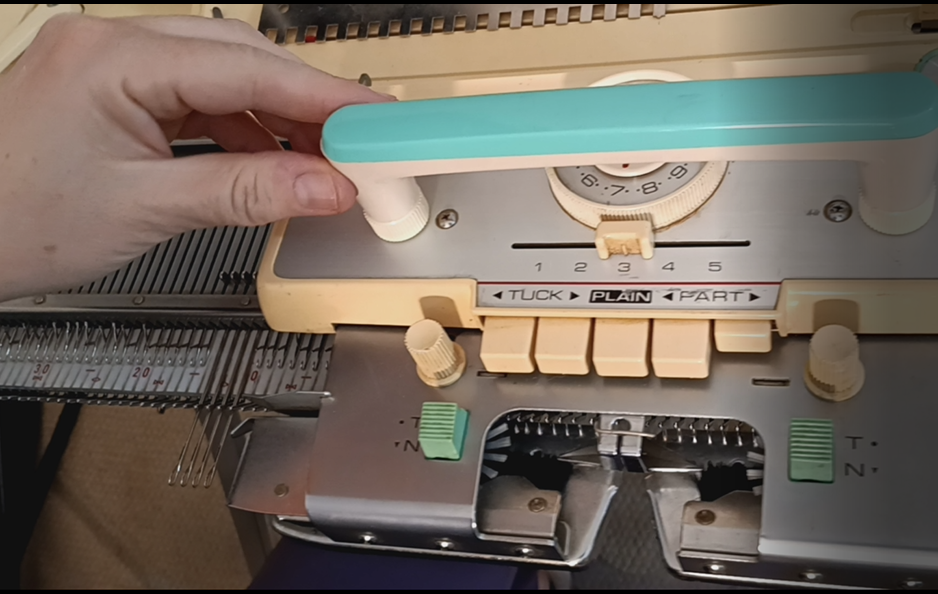
Before you even start, take a look at your main carriage. Find the N/T/MC knob in the top-right corner (we’ll need the MC settings). Please find the button on the carriage (we’ll need to push both PART buttons in). The slide lever on the carriage is on the settings “3”.

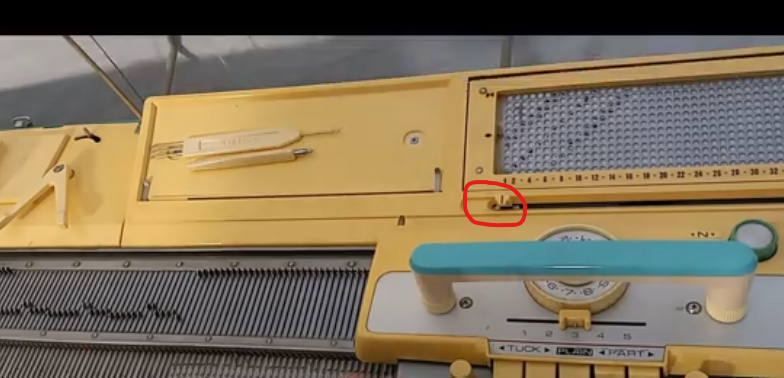
The change lever on the right-hand side of the needle bed in the top corner should be moved to MC.

These are the components we need to pay attention to to change to knit fair isle on Brother KH800 and KH801 knitting machines.

Preparation: knit several rows of stockinet in the main color. The second yarn is threaded into the left-hand side wire of the tension mast.

Step 1. The carriage is on the left side. On the carriage, set the change knob to MC and establish the desired tension (a two-color fair isle is recommended to knit at higher tension numbers). MC change lever is also at the MC setting. Holding cam lever (HCL) is at the setting “3”. Insert a desired punchcard and pull the step indicator up (“unlock” position) so it advances every time we knit one row.

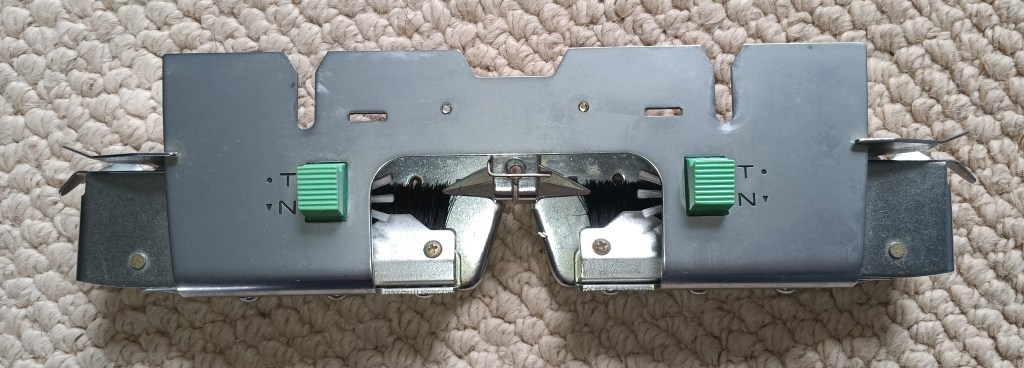
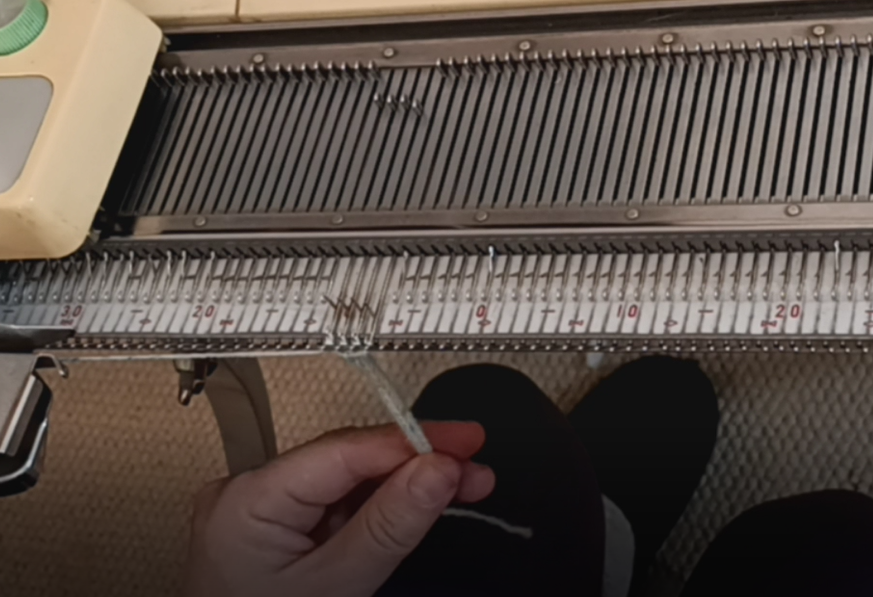
Step 2. Move the carriage to the right. All needles will shift to DI position. Push both PART buttons on the carriage. Double-check your tension. Guide/insert the second yarn into the slot on the left side of the sinker plate.

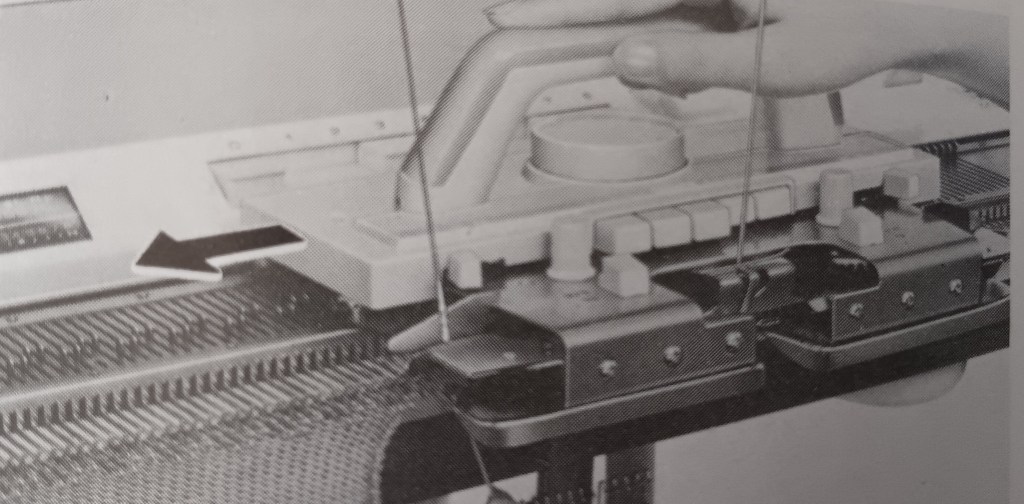
The manual for the KH800/KH801 knitting machines does a very poor job of showing how to insert/guide the second yarn into the slide slot of the sinker plate. I found an excellent demonstration in the manual for the KH710 knitting machine, which has very similar steps to the knitting fair isle. Also, watch my video on how I did it.

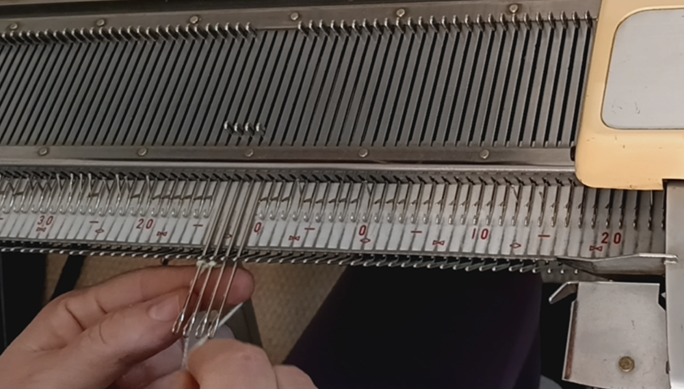
Step 3. Move the ratchet tool to move the needles according to the punch card. Notice they will split into the DI and DII positions. The needles that will knit with the second yarn remained in the DI position. The needles that will knit with the main yarn will move to the DII position. Move the carriage to the left while holding the second yarn gently (watch the video).

Step 4. Before moving the carriage back to the right, activate the needle selection for the second row: move the ratchet tool. As you move the carriage to the right, place the contrasting yarn onto the right-hand side guide of the sinker plate. Also, make sure that the row indicator moves after you pass the V-shaped trigger. If the row indicator does not move, pull it upwards.

Continue these steps.

The same approach can be used on fair isle patterning on pushbutton machines, like Brother KH585, KH588, KH581, KH552, KH601, etc. The carriages for the pushbutton machines and for the 12-stitch punchcard models KH800 and KH801 are the same (except for the slide lever – the 8-pushbutton machines have side levers for the same purpose). Thus, after the needle selection, all consequent actions are very similar for all these machines.

Happy Knitting!

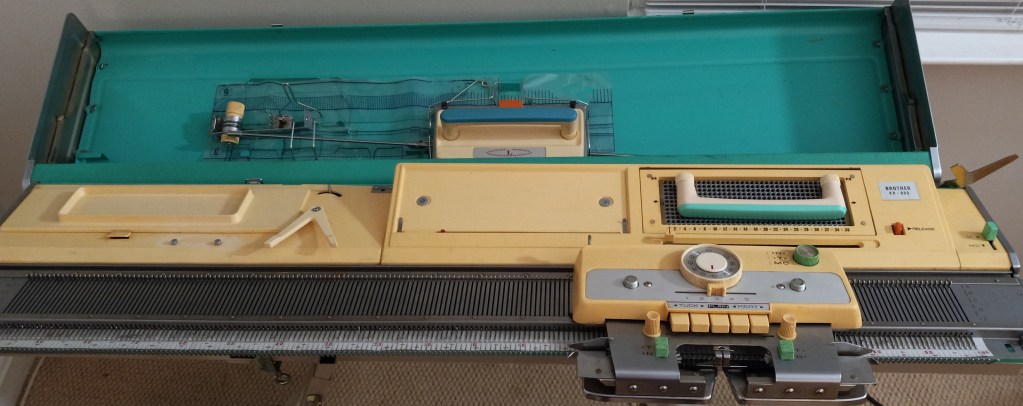
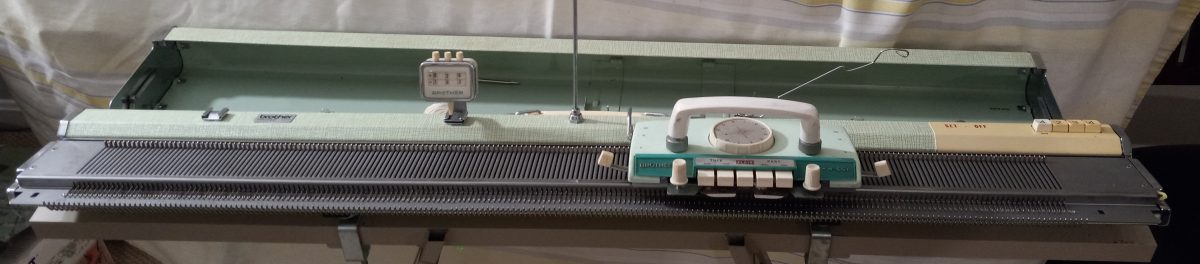
Brother KH800 knitting machine, serviced and tested in March 2024

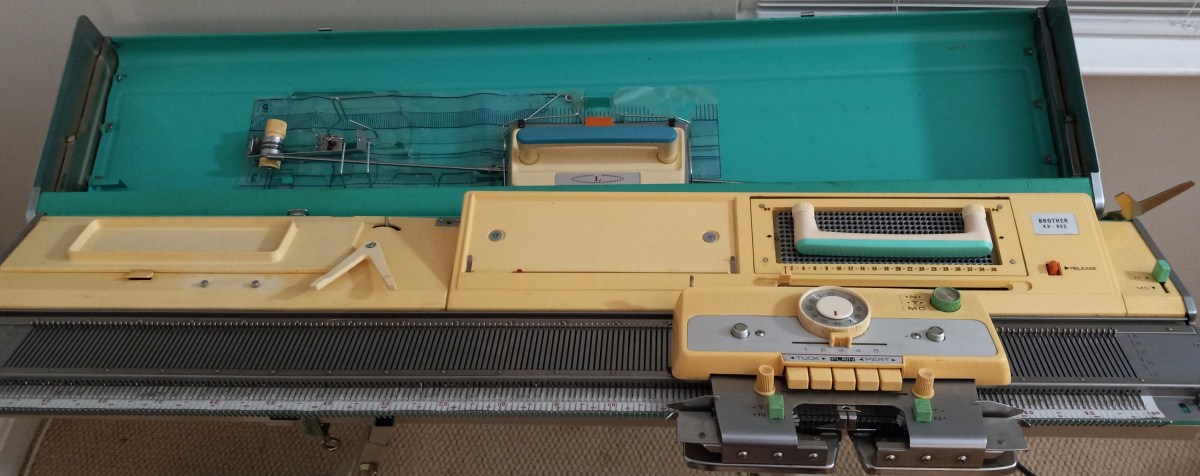
Brother KH800 knitting machine

$625 machine + $110 shipping (with insurance)

$735.00

Click here to purchase.

This blog is about a specific Brother KH800 knitting machine, which I cleaned, serviced, and tested in March 2024.

To learn about the Brother KH800 model, with all its pros and cons, read my Knitting Machine Encyclopedia.

All needles were removed, cleaned, serviced, and inspected. The sponge in the retaining bar was replaced. The case and the lid were wiped thoroughly but I did not subject the case and the lid to excessive rubbing to remove all staining. So some stains remain. The same applies to the plastic panel: I was able to remove most of the dirt and grime but some minor staining might still be visible.

I installed new weaving brushes (it is typically a pain in the butt to do it – so take good care of them). The old ones completely fell apart. They are not black as the original ones but white with strong bristles.

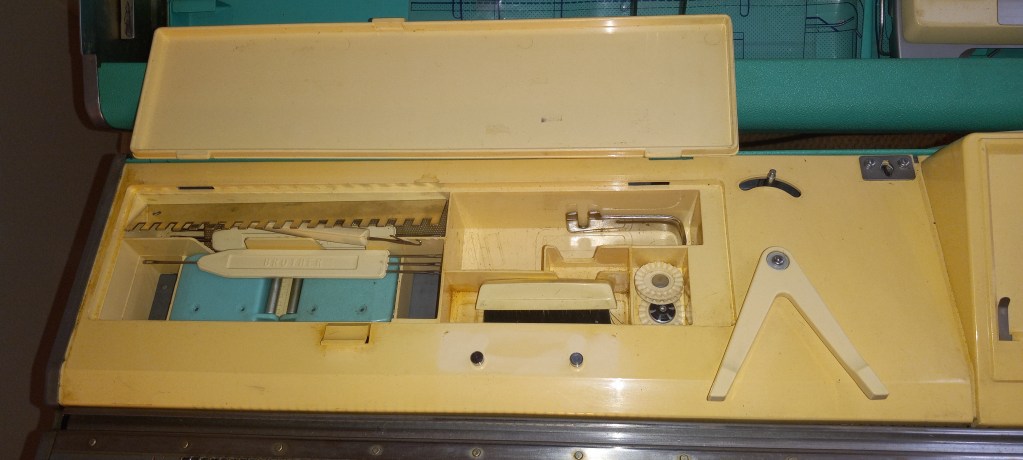
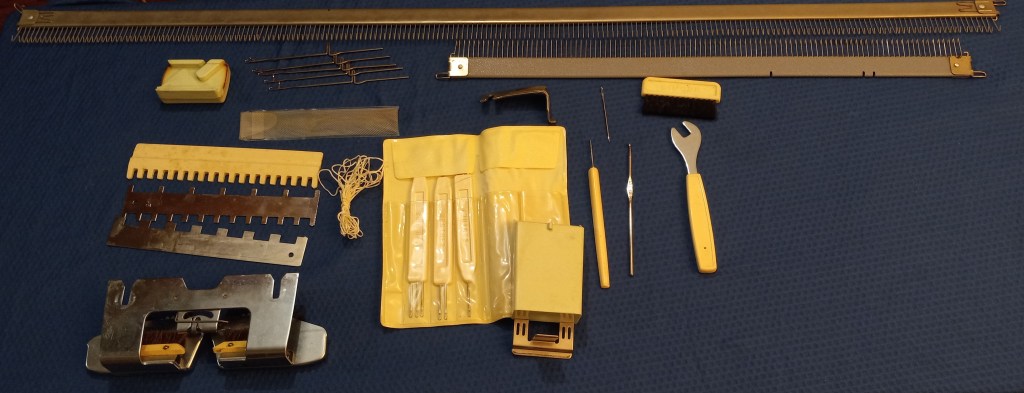
The machine will come with all major accessories (which fit inside the knitting machine case lid):

  • extension rails (to accommodate the lace carriage if you are using one or to accommodate the main carriage when you are knitting on the full bed)
  • tension mast
  • lace carriage
  • big and small cast on combs

Most critical minor accessories are included too:

  • metal 1×1 needle pusher
  • claw weights (greenish. like the machine)
  • latch and transfer tools as well as crochet needle
  • set of 3 spare needles
  • carriage lock
  • puncher
  • table clamps
  • set lever (also known as ratchet tool)
  • cleaning hand brush (good for cleaning carriage and removing some lint between the needles)
  • two carriage handles (one for the main carriage and one for the lace carriage)
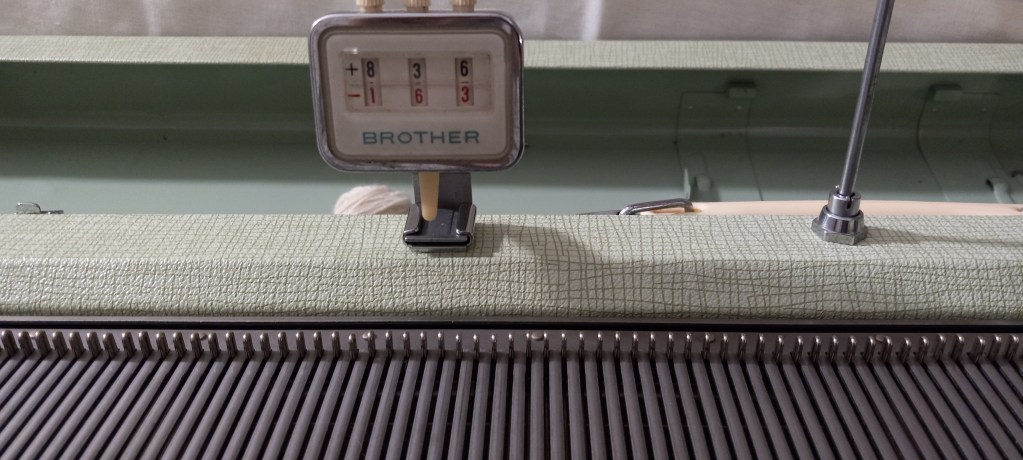
  • row counter (I specifically looked for a greenish row counter to match the machine)

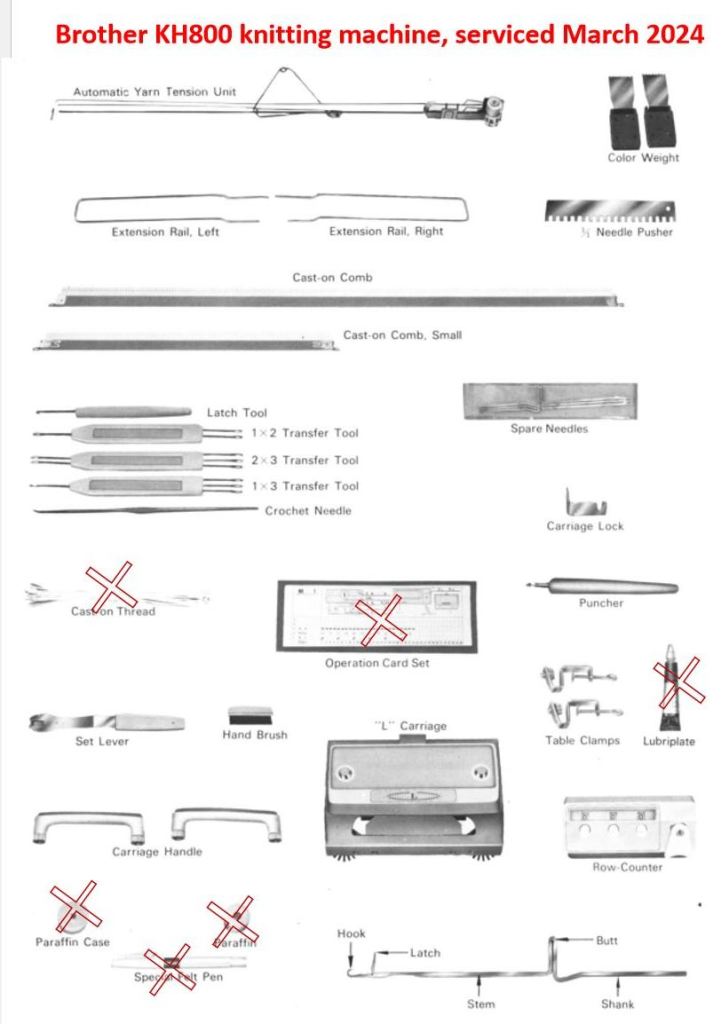
The minor accessories that are NOT included are marked below. These minor accessories do not affect the functioning of the machine. But read below about the punch and pattern cards.

The parafin is only needed for the yarns that are prone to static. The pen is actually for the knit leader and not for the machine. The greaze was old and I tossed it away. Any gun oil will work to service this machine. Any strong thin yarn can serve as a cast-on or waste-yarn thread.

All minor advisories are stored inside the built-in box with the lid.

The handles for both carriage are screw on and are also stored in this storage box. The carriage moves very smoothly on the needlebed.

The machine did not come with the original hard copy of the manual. It can still be found online for free. I can include a printed copy that came with this machine – just let me know but it might add to the weight (1-2 lbs) of the shipping package.

Even though the original pattern and punchcards are missing, it is very easy to make your own cards. I made a video on how to do it and described it in another blog. Follow the links for free pdf-files for the blank and pre-patterned cards. In my video, I printed out and used those cards.

Also, the cards are very easily to make (punch). Simply insert the cut-out of a new card into the punchcard reader and punch the wholes either using the punch provided or using a simple pencil. I describe it in my other blog and show it in my video as well.

The machine can be easily attached to a knit leader using the triangular tripper and the rod above it. Read on the manual of a specific knit leader on how to attach the machine to it.

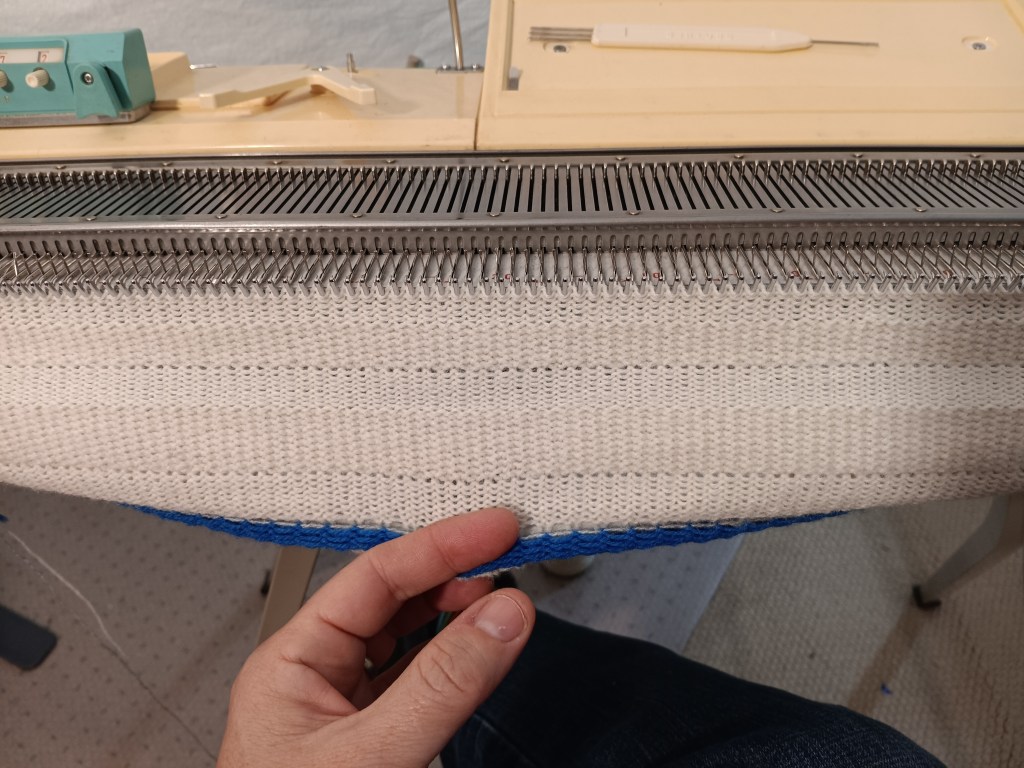
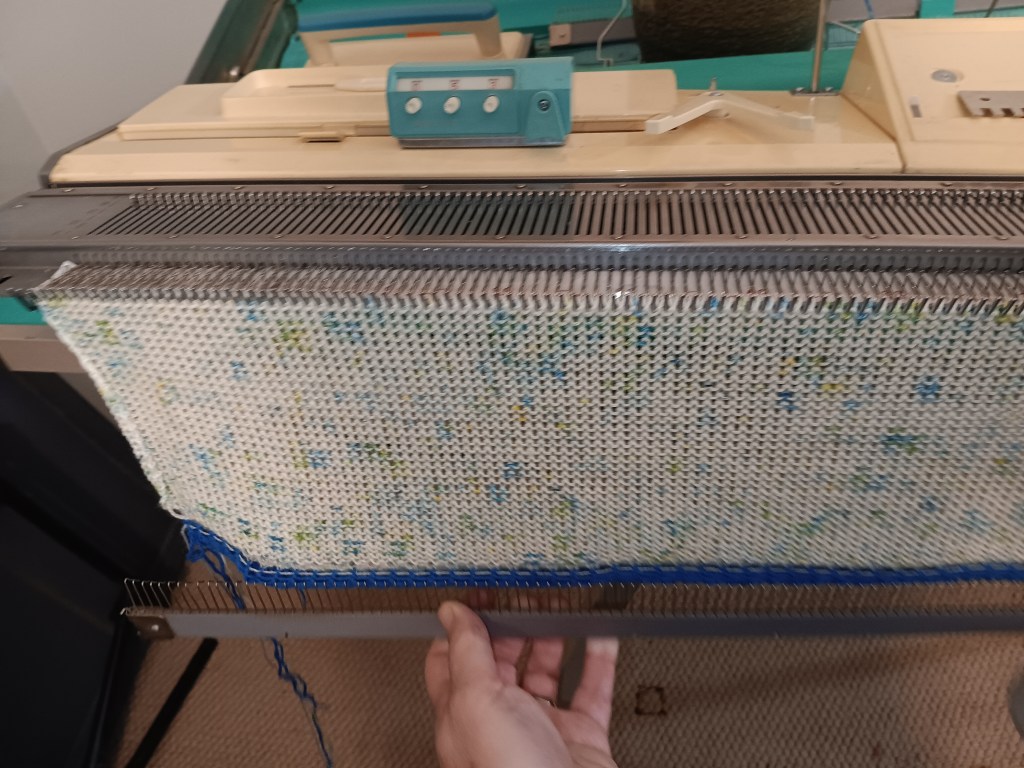
I knitted several swatches (tuck, slip, stockinet and fair isle) on this machine to ensure the carriage functions properly. I also knitted on the full bed to ensure all needles form proper stitches and that the patterning mechanism works well on the whole needlebed. Watch the video of all tests. The picture below shows the tuck-stitch fabric knitted during these tests.

Check out my blog and a video (…coming soon) on the fair isle patterning on this machine. It was quite interesting.

The panel I knitted during all these tests was converted to this 3-in-1 berett/cowl/hood shown below.

Turned out pretty good!!

Now about imperfections:

The most obvious imperfection is the scratches on the main carriage. They seem to be just cosmetic and did not affect the functioning of the machine.

All other impefections are also cosmetic. Like some minor dents and scratches on the lid and the case (not shown).

Vintage KnitLeader KL111 prepared for Sheryl, April 2024

KnitLeader KL111 + customer’s ship label

$44 + customer provides shipping label

$44.00

Click here to purchase.

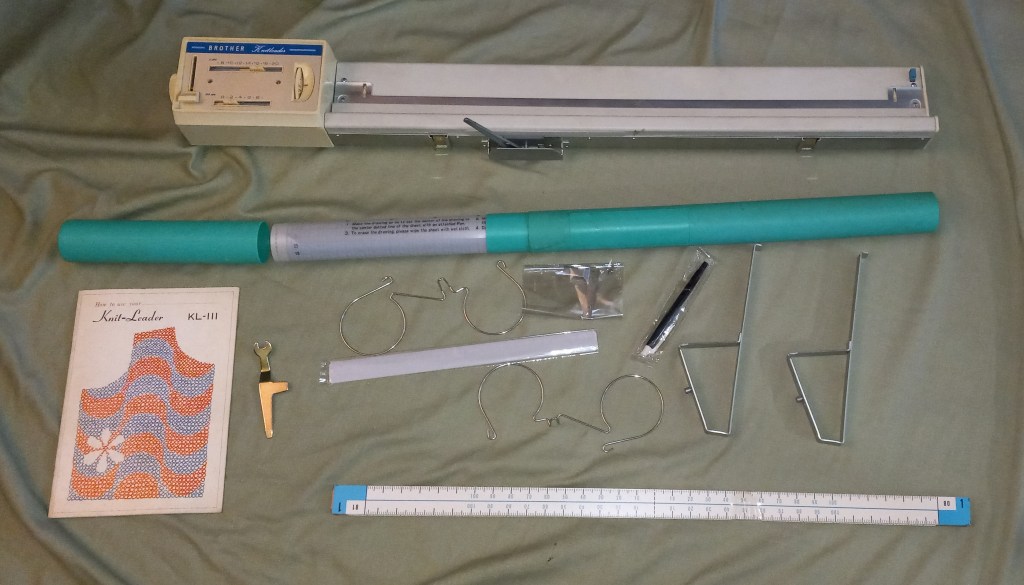
KL111 knitleader has all major accessories, including a good-looking hard copy of the manual, mylar sheets, scales, ruler and very important triangular brackets. The post below is about a particular knit leader but to know more details about the KL111 model, refer to my other post.

I did not test the knit leader on the machine but all the buttons, knobs and levers move freely. I inspected it thoroughly and wiped easy-to-remove dust and grime. Some stains remained – I do not like rubbing the plastic parts too extensively out of fear of damaging this old plastic even more.

The ratchet with the white handle is missing. So I will include the ribber spanner that fits well although is not as ergonomic as the original one. The handle can be improved a bit by applying several layers of tape.

The long scales seem like were never used. The mylar sheet also looks in great shape.

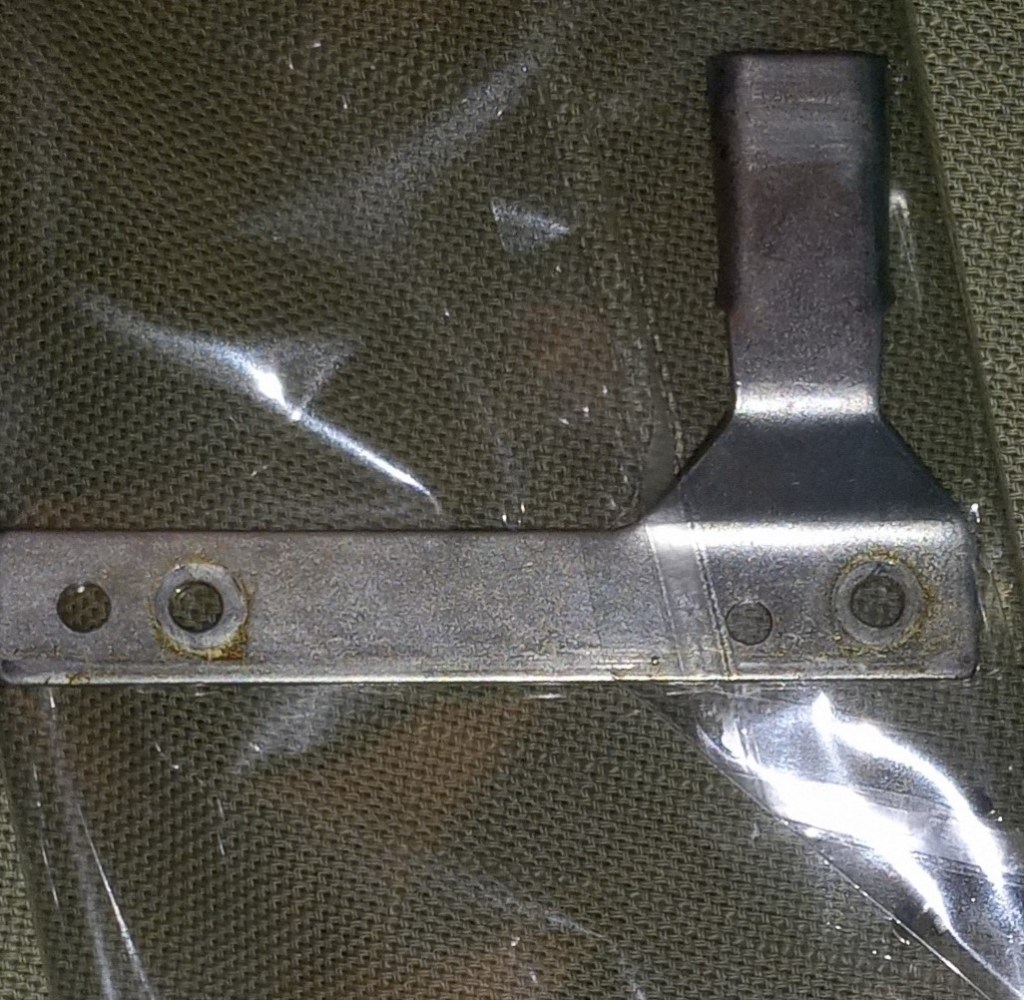
The knit leader tripped will be included if your carriage did not come with one.

The control center is in great shape also:

Below are some imperfections I noticed when preparing the knit leader. Most are the different degrees of staining on the boxy of the knit leader.

How to make punchcards for Brother KH800 and KH801 knitting machines.

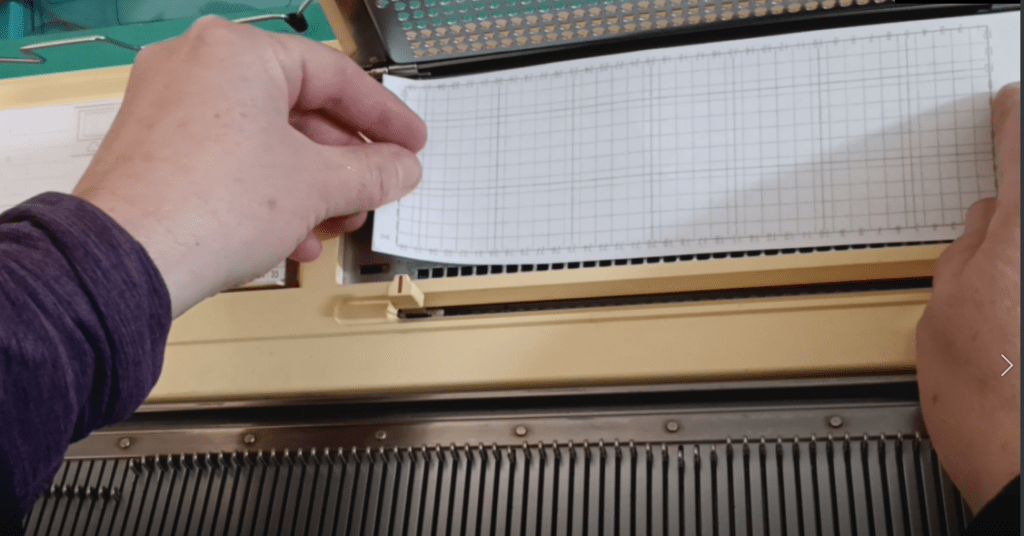
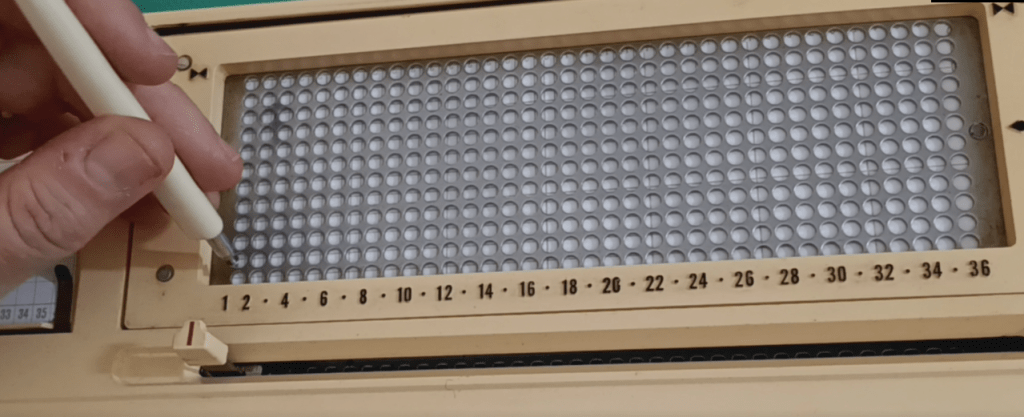
Brother KH800 and KH801 knitting machines have unique designs for needle selection: they accept 12-stitch punchcards that are positioned flat on the special panel on the machine (called “card presser”).

Brother KH800 pattern center with the 12-hole card pressure in the middle.

If your machine came with original punchcards, you are super lucky! If you did not get the punchcards, or you want to make more cards for your own custom patterns, it is very easy to do.

Below are step-by-step instructions. You can also watch a video I made with these steps.

You need to cut a piece of paper, 20.5 x 6.5 cm (8 x 2.5 inches). Regular printer paper will work. Or print this file which shows blank cards for KH800. Another option is to print a standard set of cards (from the file downloaded here) and then punch the holes using the steps I will describe below.

Insert the cut-out punch card into the pattern card cassette holder. The manual describes all the steps of inserting the card really well. The only difference from the manual is that you will have to push the paper through the setting pins.

If your machine comes with a special puncher, you are again lucky. You can now use it to punch your pattern through the holes. If your machine did not come with it, you can use a marker with a relatively thick end. Ideally, find a marker that no longer draws (dried up or broken) so it does not draw on the machine.

Continue punching holes according to your desired pattern.

The holes do not have to be fully complete: they just need to be open enough for the patterning rods to go through upon activation.

Watch in the second half of my video how I tested and ensured that the rods indeed went through.

Happy punching and Happy knitting!

Also, read or watch about the patterning mechanism of Brother KH800/801.

Knitting cord on Brother flat-bed knitting machine.

If you own a Brother flat-bed knitting machines, like pushbutton KH551, KH585, KH588 and KH710, or Brother punchcard machine like KH830, KH840, KH860, KH890, etc., or even electronic models, like Brother KH910, KH930, KH940, KH950, KH965, and even KH970, you can make cords on these machines in just quick 5 minutes or less.

The steps are outlined below. Or, if you are a visual learner or some terms in this article are not quite clear, watch this video.

1. Move the carriage to the right-hand side of the needle bed and press the right-hand side PART button.

2. Move to the most forward position 3-4 needles and perform an e-wrap cast-on with the short end of the yarn being on the left side. This post does not go into details into e-wrap cast-on, so if you are unsure how to do it, there are a lot of online resources on it.

3. Thread the long piece of the yarn through the carriage as usual.

4. Move the carriage from left to right while pulling the short end of the yarn down. After the first tow is knitted, if you prefer, attach the claw weight to the formed stitches. Or, pull the knitted fabric down by a free hand.

5. Continue knitting with the carriage moving it side to side while pulling the formed cord with the free hand.

6. When a desired cord length is achieved, cast off with your desired method. Tie a knot on each end and fasten the knot by sewing several stitches over the know with the yarn left on each end.

The cord can be used for hoods, hats, neck warmers, or for decorations.

Retaining bar vs knitting machine model chart

In progress. LAST UPDATED: June 2026

The table below lists the lengths and widths of various knitting machines I measured myself. Use this table as a reference to ensure you purchase the correct retaining bar for your knitting machine.


Model number
Retaining bar parameters
materialsponge strip?length, inch/cmwidth, inch/mm
Brother/Defendi/Empisal/ Jones/KnitKing
Brother KH500, KH531, KH551metalyes41/1040.375/10-10.5
Brother KH110, KH120, KH552, KH582, KH585, KH588, KH710, KH800, KH801, KH820, KH830, KH840, KH860, KH864, KH890, KH891, KH910, KH970metalyes41/1040.5/11-11.5
Brother KH230 machine, KR230 ribbermetalyes43/1090.5/11-11.5
Brother KH260, KH270metalyes47/1190.5/11-11.5
Brother KR810, KR830, KR850 ribbersplasticno41/104
Brother KR260 ribbermetalyes
Brother KR230 ribbermetalyes43/1090.5/11-11.5

JUKI
2500metalyes43/1090.75/11.0-11.5
Riccar/Silver/Empisal Knitmaster/Studio/Silver Reed/Singer
Silver Reed SK120metalyes43/1095 mm/0.2 inch
Silver Reed 260, 280, 321, 322, 323, 324, 326, 327,328,329,350, 500, 560, 580, 600, 700 840
SK270, 370, 830
metalyes41/1040.75/11.0-11.5
Silver Reed SK150.151, 155, 160, 860, 890, HK100metalyes43/1090.75/11.0-11.5
Toyota

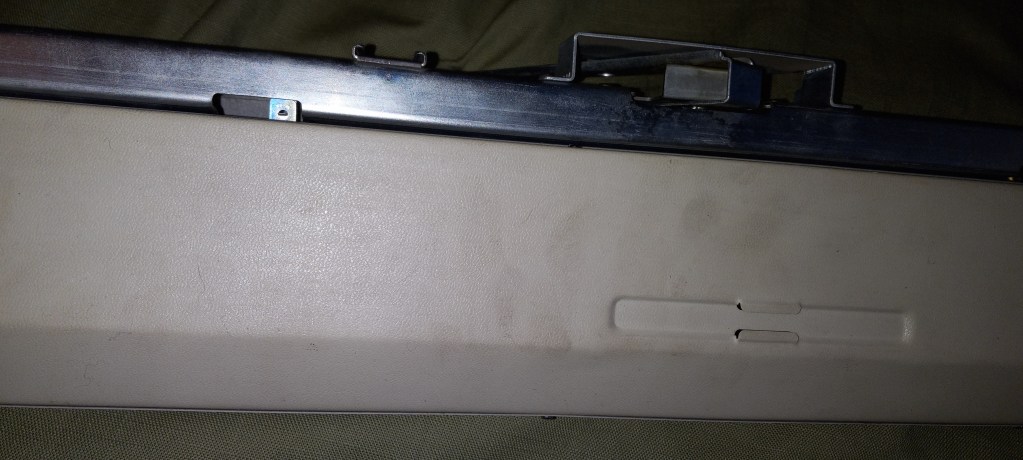
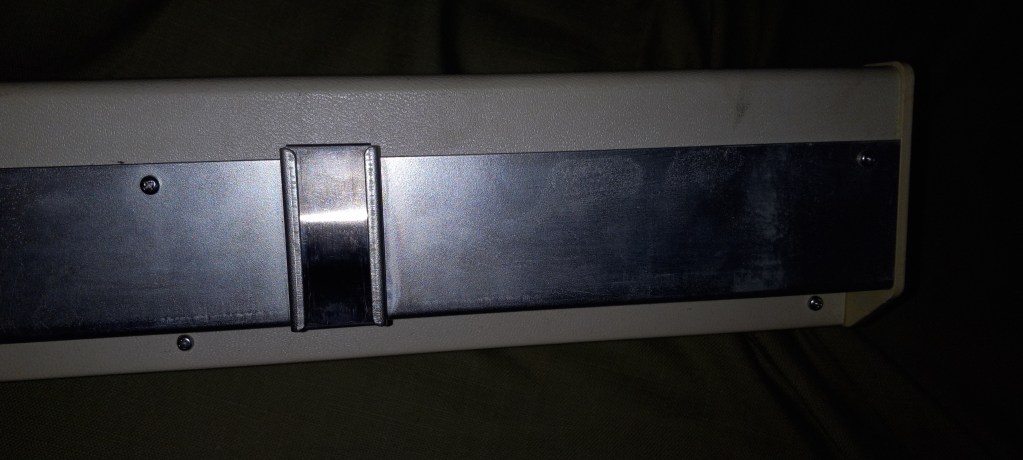
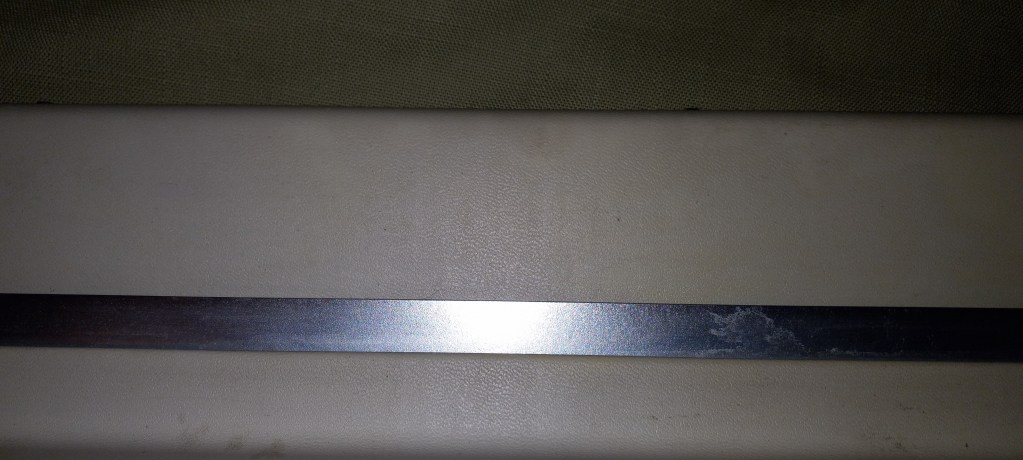
About retaining bars in knitting machines and ribbers.

… this article is in constant progress as I learn about various knitting machines and their retaining bars. By the way, a chart on which machine uses what kind of retaining bar can be found here. Read how to deal with a stuck retaining bar at the end of this blog post.

Almost all knitting machines and ribbers have retaining bars. Some machines have retaining bars with a sponge attached to them. Some machines (the majority of plastic flatbed machines) have only a long and narrow sponge (without the metal holder). Ribbers come with either a “retaining bar+sponge” assembly or only with the plastic retaining bar (no sponge strip).

The main role of these retaining bars is to hold the needles in place and to prevent them from bouncing up and down when knitting.

Below are the situations when you want and need to remove (and inspect in many cases) the retaining bar:

  1. When you just purchased your machine (especially used and NOT recently serviced), the first thing you need to do is to remove your retaining bar and inspect it. I made a short video on how to do it because I have been asked about it so many times by my customers.
  2. When you need to replace faulty needles.
  3. When you need to clean your machine.
  4. When you notice your knitting machine mispatterning without any good reason.

Hopefully, you purchased your knitting machine new or recently serviced. In this case, the sponge should be 1-2 cm above the metal edge of the retaining bar.

But in most cases, this is not the case. Thus, it is possible that when you remove the retaining bar, you will see a disintegrated sponge. I’ve seen some spongy strips being just a gooey mess. The old sponge needs to be removed as soon as possible (since it often corrodes the needles) and replaced.

There are two ways to approach this replacement.

First approach: just replace the spongy strip

If you decide to replace the sponge, you will need to remove all this goo. I first use a flat-head screwdriver to scrape all the residue out of the retaining bar canal. Typically, the old sponge residue remains in the retaining bar channels. So, to remove those, I then use “Goo Gone” to remove the rest of the residue. I typically do it outside because it is a very messy process. I pour a thin layer of “Goo Gone” liquid into the retaining bar and wait for a couple of hours. Then I scrape the remains of the old sponge again with the screwdriver. Repeat the “Goo Gone” application if needed. Lastly, I wash the retaining bar with soap and water, wipe it really well, and let it dry (or blow-dry it). You can purchase just the sponge in my store or on Amazon.

I sometimes read in forums that some thrifty machine knitters get simple weather stripping and use them as sponge strips. Well, those have different densities and sometimes do not have a silky ribbon on one side. Also, they are not suited to be exposed to oils and might decompose rapidly, leaving a sticky (potentially unremovable) residue inside your machine.

I read that experienced machine knitters use different ways to attach the spongy strip to the retaining bar. (By the way, the width of the spongy strip is not as critical, and it can be a little bit narrower than the channel of the retaining bar, but not by much). I tried different glues, and my current choice is hot glue. Some machine knitters use wood glue. I apply the glue to the metal part of the retaining bar and attach the strip to the metal by the sponge side (not the silky ribbon side). I then tape the ends of the sponge to the plastic ends. I like using medical tape. Only one layer of the tape is enough to secure the ends of the sponge. More layers will only get stuck when you insert the newly refurbished retaining bar back into the machine. Insert a small section at a time and push the needles gently down. To avoid stripping this tape, push it down on the ends of the retaining bar while inserting it into the machine.

You will see some sellers offer plastic ends for retaining bars. There are several problems with those:

  • To insert them on top of your new sponge strip, you will very likely have to widen the metal section of the retaining bar where the ends snap into, and then clip the metal again around the plastic ends. Since you will very likely have to do this procedure often (twice a year), this process deteriorates the metal retaining bar, making it eventually unusable.
  • Sometimes the plastic ends do not snap into place easily and pop out of the retaining bar.
  • Removing the old plastic ends to insert the sponge strip along the whole length of the retaining bar can also damage the ends of the metal retaining bar.

Second approach: buy a new retaining bar

Or if you do not feel like dealing with all this mess, you can purchase a retaining bar with a sponge already in it. Before you order a new retaining bar, make sure you measure the dimensions of your old bar: its width and its length.

Most commonly used by machine knitters Brother, Studio/Silver Reed/Singer, and Toyota knitting machines have somewhat similar retaining bars but there are some differences depending on the model and the gauge of the machine.

For the retaining bars for these machines, there are three different lengths (41, 43, and 47 inches) and two different widths (0.375 and 0.5 inches). This is why it is important to measure your old retaining bar to ensure that you are getting a retaining bar suitable for your machine. Most JUKI, Toyota, Silger/Silver Reed/Studio, Artisan knitting machines use 0.375-inch wide retaining bars. The lengths are either 41 or 43 inches (depending on the model).

I’ve read stories on Facebook groups, where the new machine knitters were puzzled by the fact that they JUST replaced the sponge bar and the needles do not move, advance, or retract the way they are supposed to. I especially see I happen to be the owner of 8 push-button Brother knitting machines. There is somewhere out there some incorrect information on the retaining bar for these machines. 4-push-button machines use a 0.375-inch wide retaining bar, and the 8-push-button machines use a 0.25-inch wide retaining bar. (I’ve refurbished over a dozen push-button machines and I know the difference first-hand).

Brother ribbers use plastic retaining bars without sponges. When (re) inserting the retaining bar into the Brother ribbers, the concave surface (the “channel”) should face you.

There are machines and ribbers with unique retaining bars (like Silver Reed SK120 and SK121 models, Brother KR321 ribber) – I will keep updating the blog as I am learning more. I am also putting a table on machines (and models) and retaining bar compatibility.

In the meantime, enjoy your adventure in retaining/sponge bar replacement!

PS. I measured several dozen retaining bars with my calipers. Even though the “official” measurement is 0.375 and 0.5 inches, mine are measured as 0.40-0.41 and 0.44-0.46 inches, respectively. This inaccuracy in inches makes me like the mm scale (aka metric) a bit better. So the narrower retaining bars are 10.0-10.5 mm, while the wider ones are 11-12 mm wide. Who knew that just 1 mm would make such a difference, but it does! I had an incorrect bar installed on my KH581 8-pushbutton machine, and the needles would not go back from E to B (or A) position!!!

Sometimes the retaining bar gets stuck. Possible reasons are:

  • it was inserted incorrectly originally: e.g., with the metal side touching the needles, or misaligned with the channel or even bypassed the channel.
  • sponge strip disintegrated and the old goo got stuck to the needles;
  • sponge strip goo rusted the needles and they are grabbing onto the old sponge strip;

Solutions when the retaining bar is stuck inside the machine:

  • try to use pliers to pull the retaining bar out;
  • if not much is visible to grab, remove the end cap;
  • try to do the two previous ones from a different end of the needle bed;
  • try to push the needles to E position and try the previous bullet points again

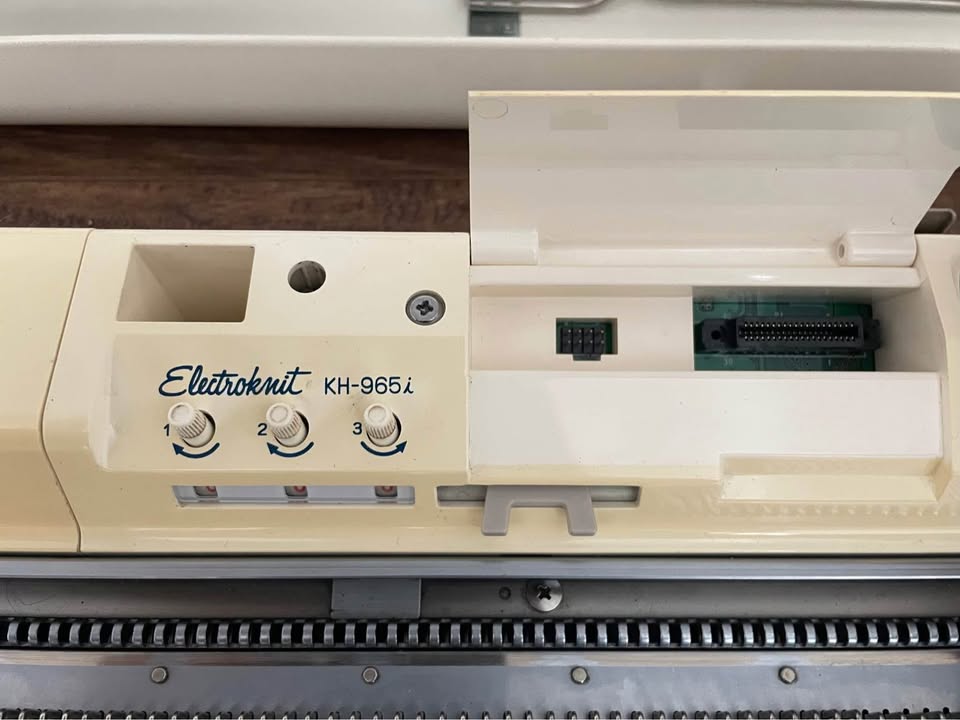
The difference between Brother KH965e, KH965i and KH965.

Just a quick note on the differences between Brother knitting machines under the model numbers KH965, KH965e, and KH965i. The reason there is a lot of discrepancies and misunderstandings about the additional “i” in the model number is that these machines are very scarce and because the functionality seems to be . They are very desirable and those that are still available on the used market are still in great shape.

First, about “e” :

Even if Brother KH965e indeed exists, it would simply mean an anniversary edition since “e” stands for “eleganza” (the latest anniversary edition model to the best of my knowledge is KH950E). This machine would be identical to the functionality of the KH965 knitting machine but the color combination of the carriage, end caps, and control panel might be different (like in the case of KH930/930e and KR850/850e setups). However, I’ve seen only the KH260/KH260e, KR850/850e and KH930/KH930e combinations. Brother KH965 was released to the market significantly later (by about 5 years), so there will be no even for an “anniversary edition”. If you’ve seen the KH965e model and want to prove me wrong, shoot me a message.

Now about “i”:

The differences between the KH965 and KH965i models of electronic brother knitting machines are subtle and might vary depending on which market the machine was made for.

Some think that “i” in KH965i stands for “intarsia”. However, both KH965 and KH965i have built-in intarsia knitting capabilities according to the instructions (as well as their a bit older analogs, KH930 and KH940).

I researched pictures of a lot of pictures of various KH965i machines and all of them have the intarsia option. … which kind of makes sense because KH965i is an updated version of KH930/KH940, which also had this option.

Some think that “i” might stand for is “interactive” or “interface,” and the difference is that KH965i has a compartment to insert the PPD disk, however, KH965 has the same disk port (and the manuals for these machines both mention the compartment and disk port). So, basically, KH965i can accept files from external sources without any modifications to the machine.

Knitters who prefer a more advanced way or pattern transfer use a special cable instead of the PPD disk. This cable is inserted into the slot for the disk for file transfer through special software.

The KH965i model has also the capability of inserting the cable into the machine itself (originally assumed to be for the FB 100 disk drive and file transfer). And this is one of the main differences between KH965 and KH965i.

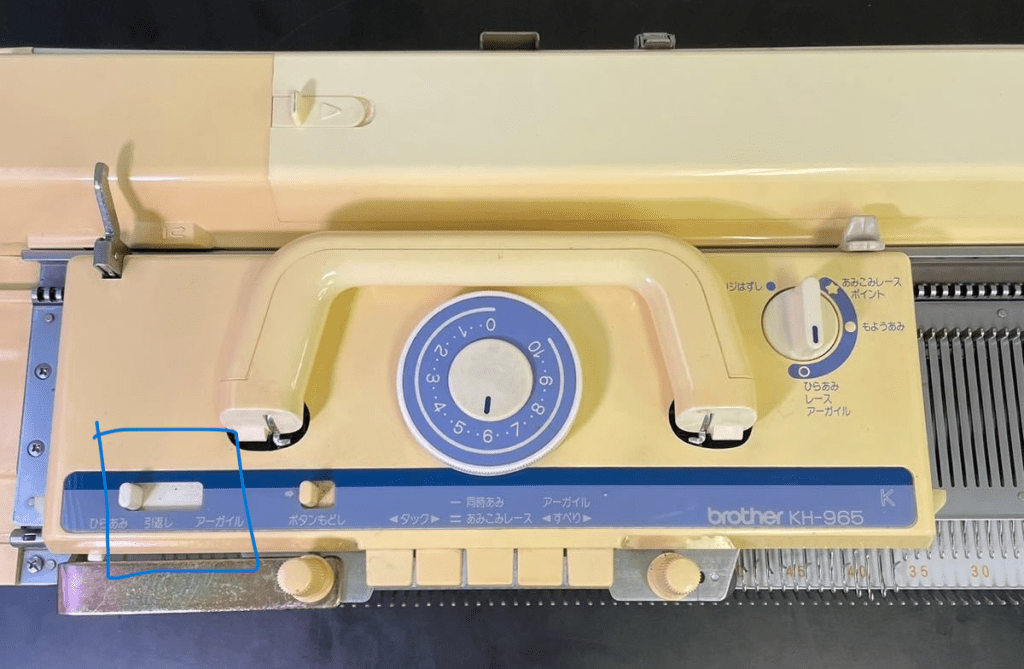
Another critical difference is the settings on the selection dial on the carriage. Brother KH965 does not have a KCII setting…

…unlike Brother KH965i.

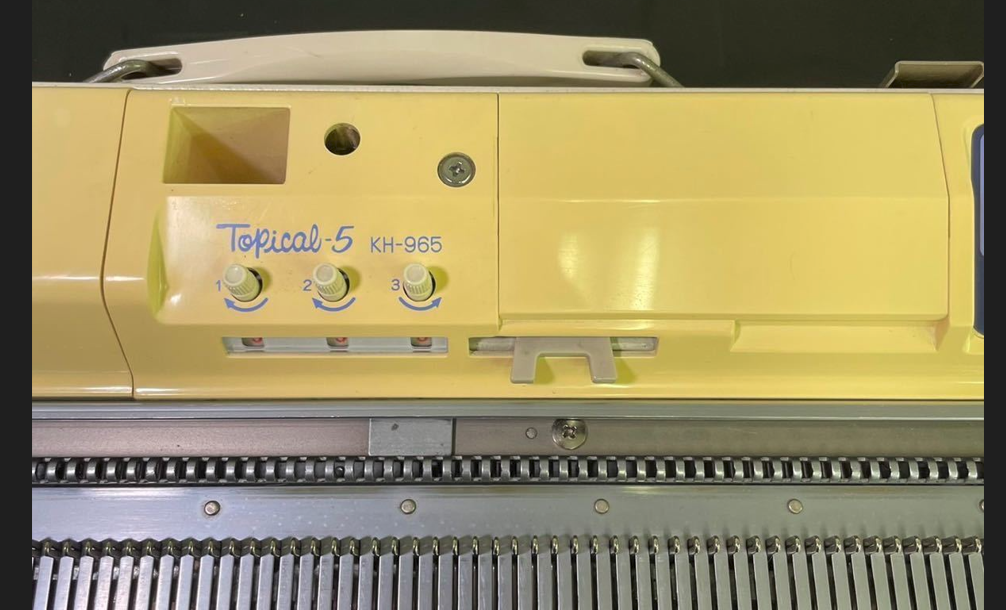
However, KH965 released to the Japanese markets (Topical-5) noticeably has also 4 positions on the selection dial, which probably implies KCI and KCII settings or maybe KC and SM settings? (Sorry – I would be more sure but I don’t read Japanese).

Thus, it seems that even if your KH965 does not have “i” next to its name, it might still have functionalities of the KH965i machine.

Thus, to identify whether you have a KH965 or KH965i, look for:

  • KCII option on the selection cam on the carriage (or four different options on that dial)
  • A port on the back panel of the machine.

All other functionalities of the KH965 and KH965i are the same (namely, memory, functions of the buttons on the panel, etc).

I really hope you are a lucky knitter who has a Brother KH965(i) in their collection!

Brother KH551 knitting machine serviced in November 2023

Brother KH551 is a standard gauge knitting machine with 4-pushbutton-based patterning mechanism. This blog is dedicated to one specific machine I serviced. If you want to know more about the Brother KH551 knitting machine model, refer to my Knitting Machine Encyclopedia article.

The machine (including carriage and all needles) was cleaned and serviced. All levers and the buttons on the carriage were checked and they moved and worked without problems. These levers were also tested while knitting. All needles were also checked while knitting on a full bed. No faulty needles were detected.

The 15 needles on each side (30 total) came from my refurbished stack. Thus, when I was knitting on the full bed, I was inspecting the edges especially closely to make sure all these refurbished needles worked well. Also, because of such a high number of refurbished needles, I am including the set of 5 spare needles (instead of usual 3).

The machine comes with all major assesories.

Several missing minor assesories are:

  • A hard copy of the manual is not included but can be found online.
  • Sinker plate yarn hangers, left and right. It can honestly be replaced with a regular paper clip (just unbent them to a desired shape). The manual describes their usage on p. 18. manual
  • The tool storage box is not included
  • Oil is not included also but I recommend Hoppe’s Elite Gun Oil.

Additionally, the small cast-on comb is not all metal – I pulled it out from my own stash.

On the full bed, I knitted stockinet, tuck, slip and hold patterns (see the video of tests – all went well). Butterfly stitch is my favorite on this machine.

Now about flaws and imperfections:

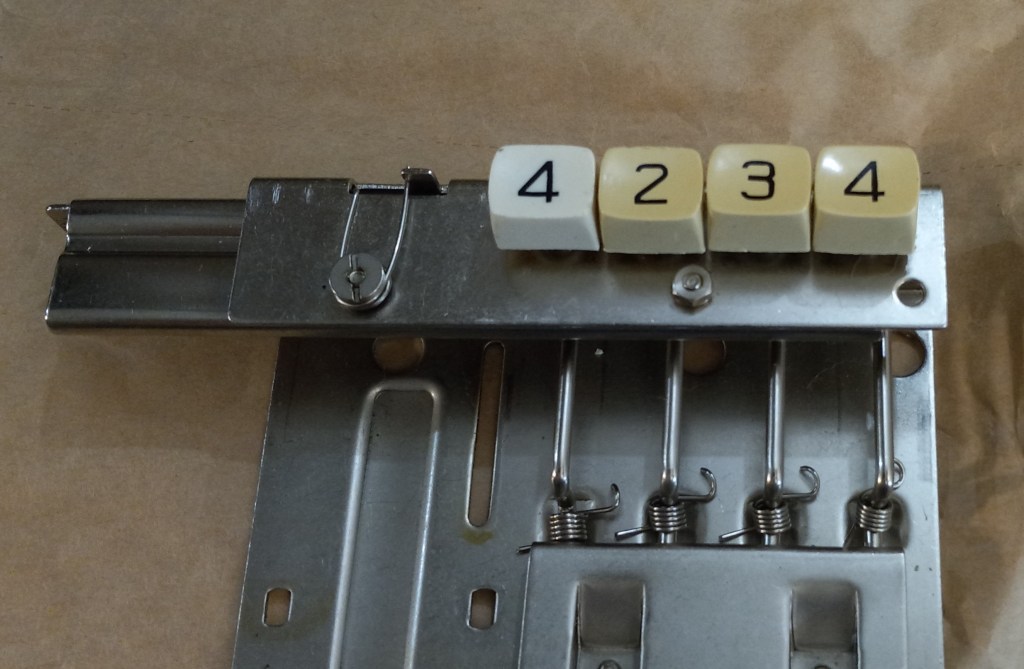
I had to replace the push-buttons but I did not have a part for the button marked #1. So, I replaced it with the button marked as #4 but it is of different shade of white. If you want, you can put a sticker on it with “#1” (I prefer not to put stickers on machines since it damages and stains the vintage plastic).

Despite being vintage, this machine will still serve your craft needs for many years especially if regularly serviced.

Happy Knitting!

First steps of testing new-to-you ribber.

If you just purchased or snatched a ribbing attachment to your knitting machine, I can imagine how happy you are!

If your ribber came to you fully serviced and tested, you still need to learn yourself how to use it and attach to you machine. So, follow the steps below. However, if your ribber came to you AS IS, follow the steps outlined in my other article on how to clean and service it before you start the knitting tests.

  1. The first most important step is attaching your ribber to the main knitting machine bed. Your ribber manual is the best source for this. If you are a visual learner, there are plenty of youtube video on how to do it for your particular ribber.
  2. Before you even attach the ribber carriage, main carriage and the connecting arm together, you ABSOLUTELY have to make sure the distance between the main and ribber bed is the optimum. Too wide or too narrow distance between the beds will cause all kinds of problems: yarn is not latching onto the needles, resulting in dropped stitches, grinding noise, difficulties to move the carriage, bent latches, etc. for Brother knitting machines, the best manual that explains how to do it is for the Brother KR810 ribber (available online, just Google it). There are also a lot of YouTube resources on how to establish the optimum distance.
  3. Check all magnets on connecting arm and carriages to make sure nothing got stuck to them.
  4. Once you are satisfied with the distance, make sure the connecting arm is attached to the main carriage properly. (Poorly attached connecting arm will manifest itself in dropped stitches, grinding noise, difficulties in moving in one or both directions, damaged needles or needle latches). Follow manual instructions to the dot. Once you attached the connecting arm to the main carriage, run through the needles (no yarn) to make sure nothing is touching the connecting arm. Start with 20-30 needles and if everything is good, add another portion of 20-30 needles, and so on.
  5. Attach the ribber carriage (unless you have a vintage, earlier model, of ribber, in which case you don’t need to do that) to the connecting arm/main carriage assembly. Again, follow instruction to the dot. Then run again the carriage assembly through just the ribber needles. For this purpose, only bring 20-30 needles to working position and run the carriages through. If everything seems smooth, add another section of 20-30 needles, and so on.
  6. Start knitting on a small swatch. Start with 1×1 rib on every other needle. (When setting up the ribber and knitting the first cast-on rows, it is extremely important to move the needles to the B working position as close as possible. Otherwise the carriage might bend the latches.) Use very thin yarn at first. Preferably the yarn that is no prone to static. (Quick side note on how to check the static of the yarn: bring a small strand of yarn to the crack between the beds and if the yarn sticks to one of the beds, yep, you probably have static. Change the yarn or apply wax). Do not use cotton yarns. Thin smooth acrylic yarn should work. Starting with the very thin and smooth yarn will prevent you from having problems related to JUST yarn: static, tension, friction if yarn has texture. (Please, do not think that knitting swatch is a waste of your yarn or time. There are several learning opportunities. For example, you will also learn how to choose the right tension for the yarn you chose, practice transferring the stitches (by hand or using a transfer carriage), whether there is static with this yarn, etc.) Follow the cast-on and knit instructions to the dot. Knitting just a small swatch will let you 1) check whether all buttons and functions move freely on the ribber carriage and 2) master the cast-on procedure.
  7. Knit on a full bed using the yarn you had success on with the swatch. Start with the 1×1 rib on every other needle. I do not recommend knitting on ALL needles on the ribber – leave 1-3 on each end in non-working position. It will be easier to attach wire-weight-hangers and will also ensure you all stitches are knitted before the carriages returns in the opposite direction. Knitting on the full bed will show you whether all needles function well (If a needle is bend, misaligned, or has a sticky latch, stitches will not form properly. You might also see dropped stitches, tucked-stitches or lots of pull stitches. ) And also discover (if any) additional problems with the setup. (All minor problems not seeing while knitting the swatch might manifest in a full bed in a more pronounced way). The panels knitted on the full bed during your tests can be converted to hats (knit 100-120 rows for one-layered hat with a brim and 200+ rows for a double-layered hat). During your tests on a full bed you’ll also learn how to hang and rehang the wire-hangers with weights to ensure nice edges, how to recognize dropped stitches, how to catch dropped stitches on the very ends of the panel and what to do to prevent them, etc. Knitting on a full bed when you are just starting is a whole new game.

Let me know how the first test went!