Working, mechanism, pros and cons of drums-based knitting machines (sold under the Silver Reed, Singer, Studio, Empisal model names) with punch card capabilites.

… in progress. Last update: January 2026

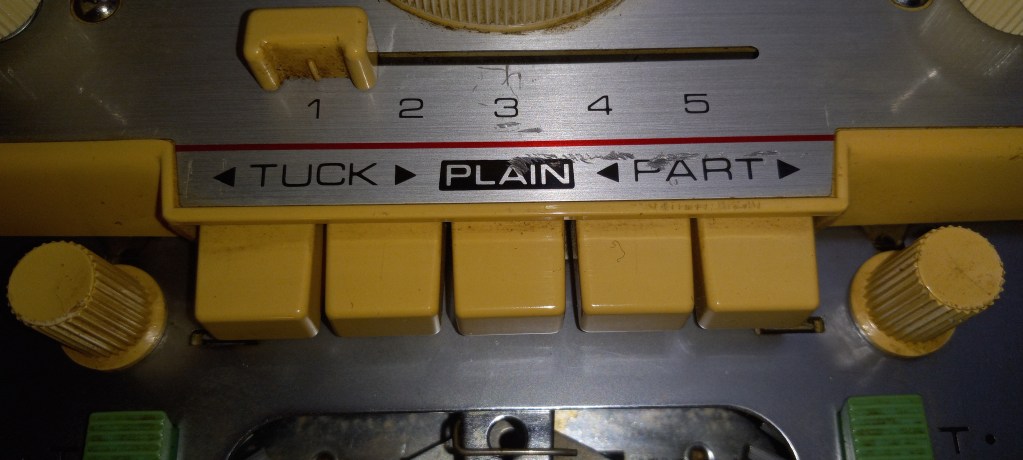
Knitting machines with punchcard capabilities have carriages with drums that glide on the back rail and also assist in needle selection when they are passed over a punchcard reading mechanism pegs.

Well, since these patterning drums are such a prominent feature (which also makes these machines stand out from Brother punchcard knitting machines), a lot of cons and pros are associated with them.

PROS:

  • needle selection is localized to drums/carriages, thus fewer (theoretically) things can go wrong;
  • Drums assist the carriage in sliding on the needle bed

CONS:

  • Yarn and debris can’t tangle around these drums
  • These drums often freeze up when the machine is not in use for a prolonged time due to solidified old grease/oil.

Here are my other observations/feedback so far:

Pegs on the drums pass the needles to either B position or C position.

When the patterning dial is in the fair isle position, the mani yarn goes onto the needles in C position.

I see blog posts stating that some of the clanking noise might be due to the static in the yarn. To solve this issue, attach wax to the tension mast so the yarn passes through it.

But some knitters experience that noise even when there is no yarn in the carriage. Sometimes, if the carriage was not recently serviced or the sponge in the retaining bar is old, you might hear some clanking noise. I am discussing this issue (as well as how to address/minimize it) in my video.

When the ribber connecting arm is attached (from SRP50 ribber – maybe others, still researching), the carriage cam dial does not turn from L to Stockinet freely. You will need to disconnect the connecting arm, and the problem will be solved.

Two-color Fair Isle patterning on Brother KH800 and KH801 knitting machines.

These unique knitting machines, Brother KH800 and KH801, make it super easy to make punch cards and knit various patterns.

However, as I started to explore the steps on how to knit these various patterns, I discovered that the manual does not really present all the steps clearly, especially for the two-color fair isle knitting. So, a combination of researching manuals of similarly (with a ratchet) working push-button machines and my own trial & error, will be presented to you below as an attempt to ease up your learning of how to operate these wonderful machines. I also made a video of how I knitted a fair isle on my own Brother KH800 machine.

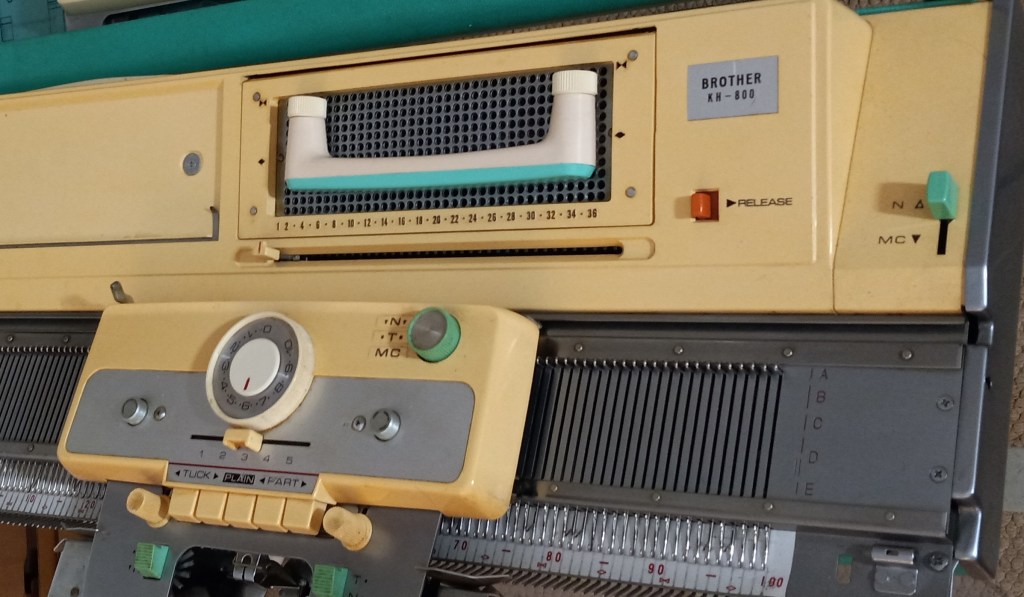
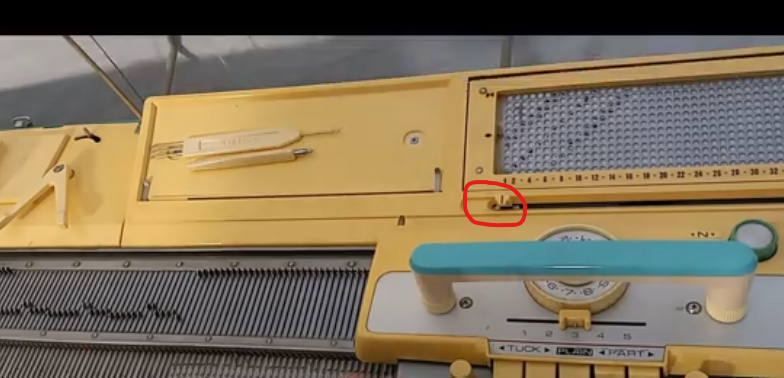
Before you even start, take a look at your main carriage. Find the N/T/MC knob in the top-right corner (we’ll need the MC settings). Please find the button on the carriage (we’ll need to push both PART buttons in). The slide lever on the carriage is on the settings “3”.

The change lever on the right-hand side of the needle bed in the top corner should be moved to MC.

These are the components we need to pay attention to to change to knit fair isle on Brother KH800 and KH801 knitting machines.

Preparation: knit several rows of stockinet in the main color. The second yarn is threaded into the left-hand side wire of the tension mast.

Step 1. The carriage is on the left side. On the carriage, set the change knob to MC and establish the desired tension (a two-color fair isle is recommended to knit at higher tension numbers). MC change lever is also at the MC setting. Holding cam lever (HCL) is at the setting “3”. Insert a desired punchcard and pull the step indicator up (“unlock” position) so it advances every time we knit one row.

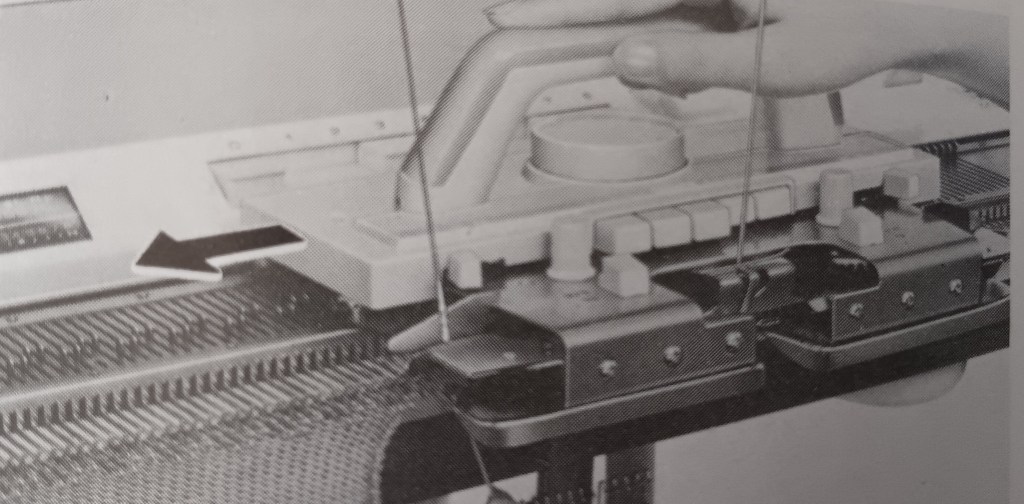
Step 2. Move the carriage to the right. All needles will shift to DI position. Push both PART buttons on the carriage. Double-check your tension. Guide/insert the second yarn into the slot on the left side of the sinker plate.

The manual for the KH800/KH801 knitting machines does a very poor job of showing how to insert/guide the second yarn into the slide slot of the sinker plate. I found an excellent demonstration in the manual for the KH710 knitting machine, which has very similar steps to the knitting fair isle. Also, watch my video on how I did it.

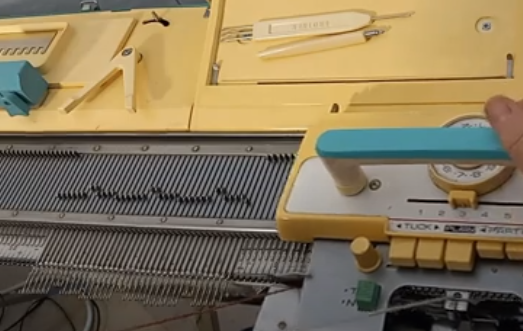
Step 3. Move the ratchet tool to move the needles according to the punch card. Notice they will split into the DI and DII positions. The needles that will knit with the second yarn remained in the DI position. The needles that will knit with the main yarn will move to the DII position. Move the carriage to the left while holding the second yarn gently (watch the video).

Step 4. Before moving the carriage back to the right, activate the needle selection for the second row: move the ratchet tool. As you move the carriage to the right, place the contrasting yarn onto the right-hand side guide of the sinker plate. Also, make sure that the row indicator moves after you pass the V-shaped trigger. If the row indicator does not move, pull it upwards.

Continue these steps.

The same approach can be used on fair isle patterning on pushbutton machines, like Brother KH585, KH588, KH581, KH552, KH601, etc. The carriages for the pushbutton machines and for the 12-stitch punchcard models KH800 and KH801 are the same (except for the slide lever – the 8-pushbutton machines have side levers for the same purpose). Thus, after the needle selection, all consequent actions are very similar for all these machines.

Happy Knitting!

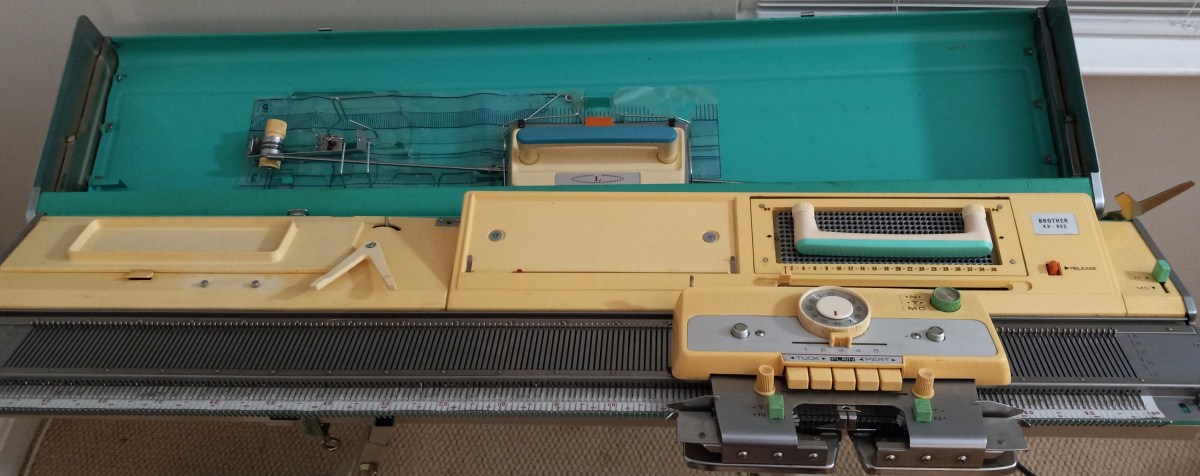
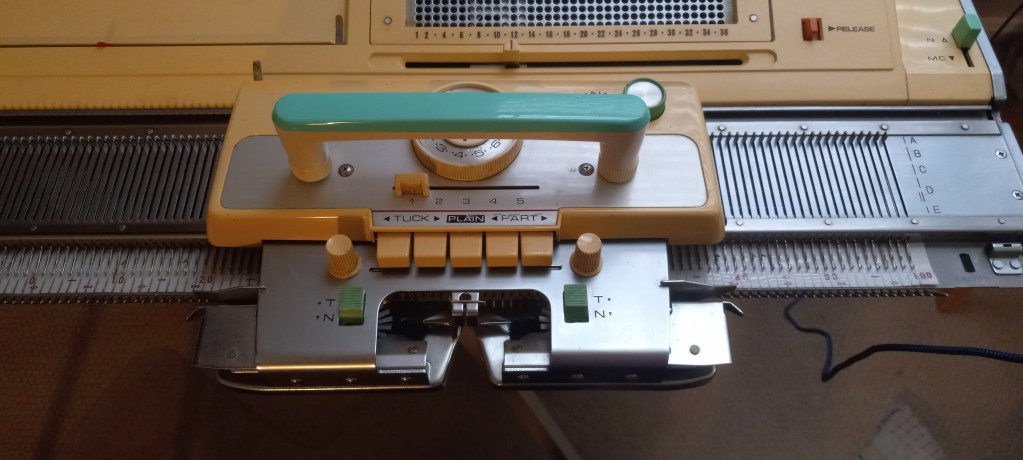
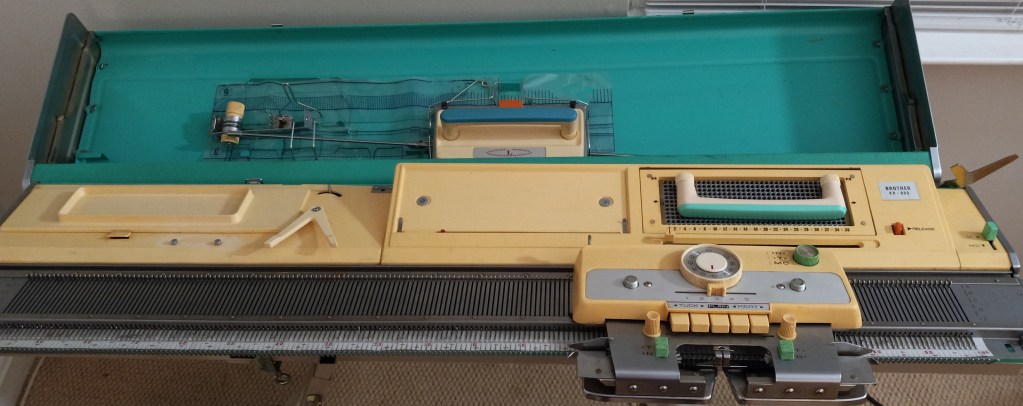
Brother KH800 knitting machine, serviced and tested in March 2024

Brother KH800 knitting machine

$625 machine + $110 shipping (with insurance)

$735.00

This blog is about a specific Brother KH800 knitting machine, which I cleaned, serviced, and tested in March 2024.

To learn about the Brother KH800 model, with all its pros and cons, read my Knitting Machine Encyclopedia.

All needles were removed, cleaned, serviced, and inspected. The sponge in the retaining bar was replaced. The case and the lid were wiped thoroughly but I did not subject the case and the lid to excessive rubbing to remove all staining. So some stains remain. The same applies to the plastic panel: I was able to remove most of the dirt and grime but some minor staining might still be visible.

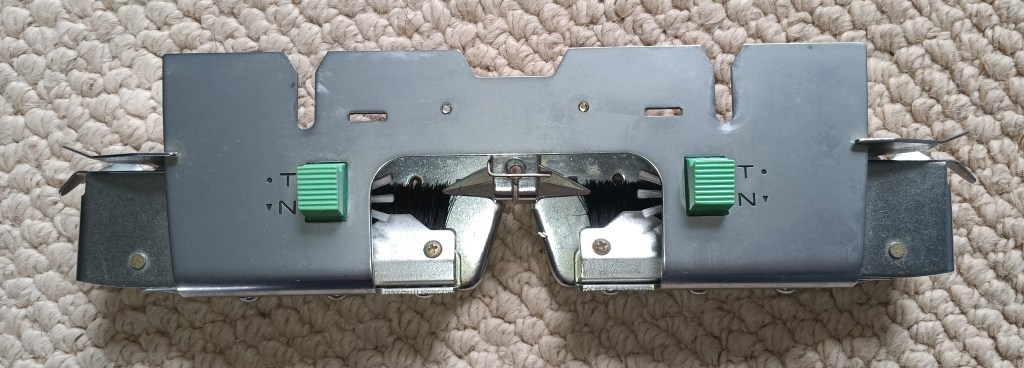
I installed new weaving brushes (it is typically a pain in the butt to do it – so take good care of them). The old ones completely fell apart. They are not black as the original ones but white with strong bristles.

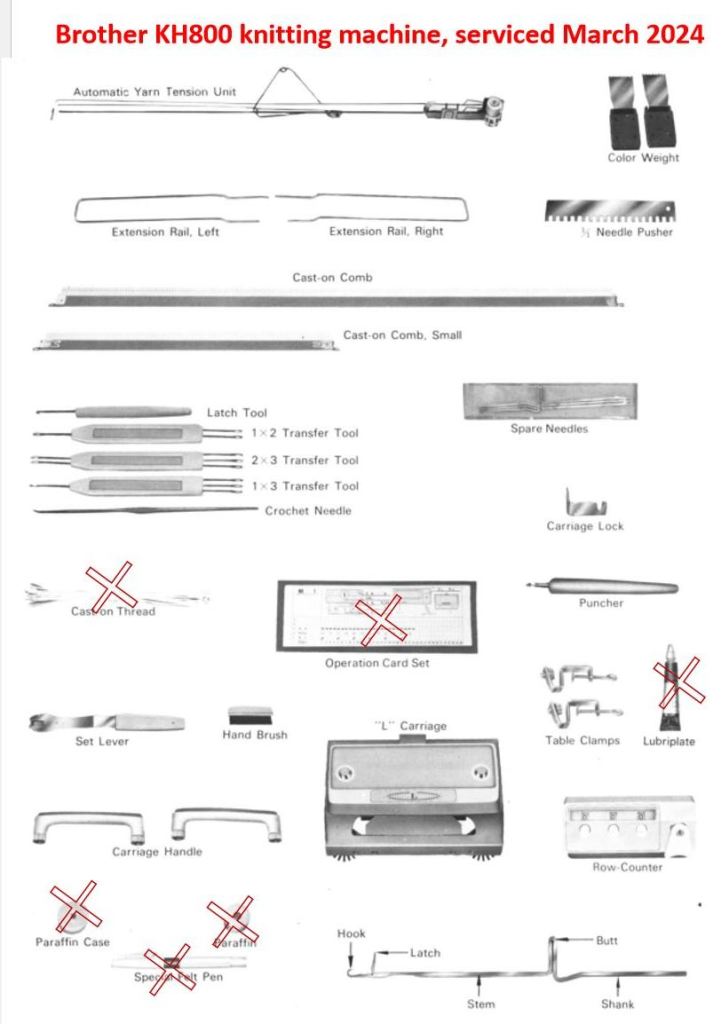
The machine will come with all major accessories (which fit inside the knitting machine case lid):

  • extension rails (to accommodate the lace carriage if you are using one or to accommodate the main carriage when you are knitting on the full bed)
  • tension mast
  • lace carriage
  • big and small cast on combs

Most critical minor accessories are included too:

  • metal 1×1 needle pusher
  • claw weights (greenish. like the machine)
  • latch and transfer tools as well as crochet needle
  • set of 3 spare needles
  • carriage lock
  • puncher
  • table clamps
  • set lever (also known as ratchet tool)
  • cleaning hand brush (good for cleaning carriage and removing some lint between the needles)
  • two carriage handles (one for the main carriage and one for the lace carriage)
  • row counter (I specifically looked for a greenish row counter to match the machine)

The minor accessories that are NOT included are marked below. These minor accessories do not affect the functioning of the machine. But read below about the punch and pattern cards.

The parafin is only needed for the yarns that are prone to static. The pen is actually for the knit leader and not for the machine. The greaze was old and I tossed it away. Any gun oil will work to service this machine. Any strong thin yarn can serve as a cast-on or waste-yarn thread.

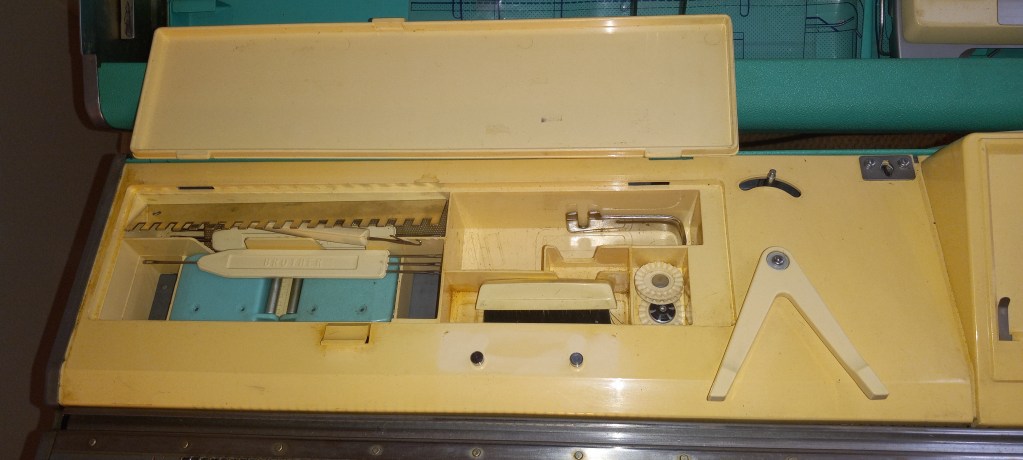
All minor advisories are stored inside the built-in box with the lid.

The handles for both carriage are screw on and are also stored in this storage box. The carriage moves very smoothly on the needlebed.

The machine did not come with the original hard copy of the manual. It can still be found online for free. I can include a printed copy that came with this machine – just let me know but it might add to the weight (1-2 lbs) of the shipping package.

Even though the original pattern and punchcards are missing, it is very easy to make your own cards. I made a video on how to do it and described it in another blog. Follow the links for free pdf-files for the blank and pre-patterned cards. In my video, I printed out and used those cards.

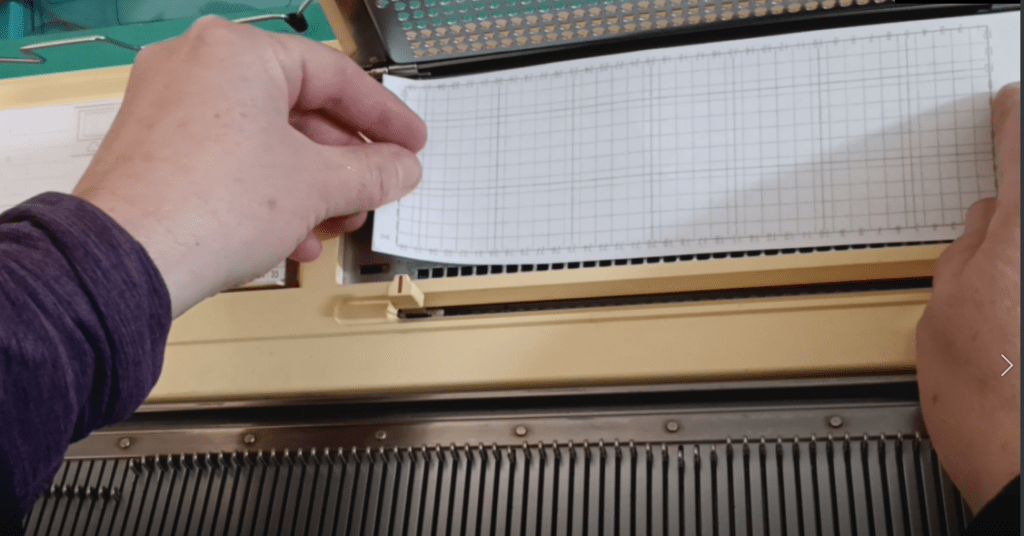
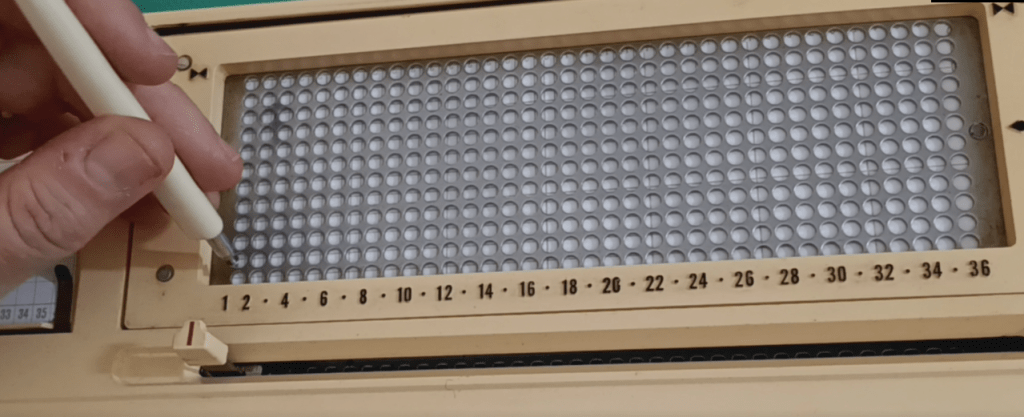
Also, the cards are very easily to make (punch). Simply insert the cut-out of a new card into the punchcard reader and punch the wholes either using the punch provided or using a simple pencil. I describe it in my other blog and show it in my video as well.

The machine can be easily attached to a knit leader using the triangular tripper and the rod above it. Read on the manual of a specific knit leader on how to attach the machine to it.

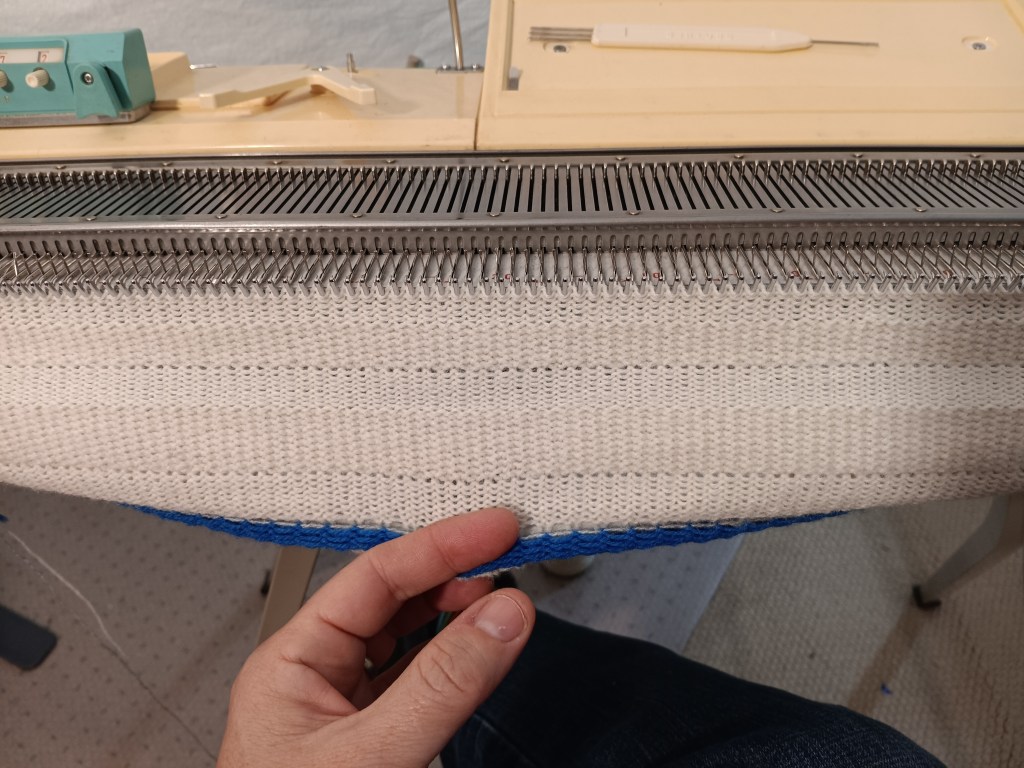
I knitted several swatches (tuck, slip, stockinet and fair isle) on this machine to ensure the carriage functions properly. I also knitted on the full bed to ensure all needles form proper stitches and that the patterning mechanism works well on the whole needlebed. Watch the video of all tests. The picture below shows the tuck-stitch fabric knitted during these tests.

Check out my blog and a video (…coming soon) on the fair isle patterning on this machine. It was quite interesting.

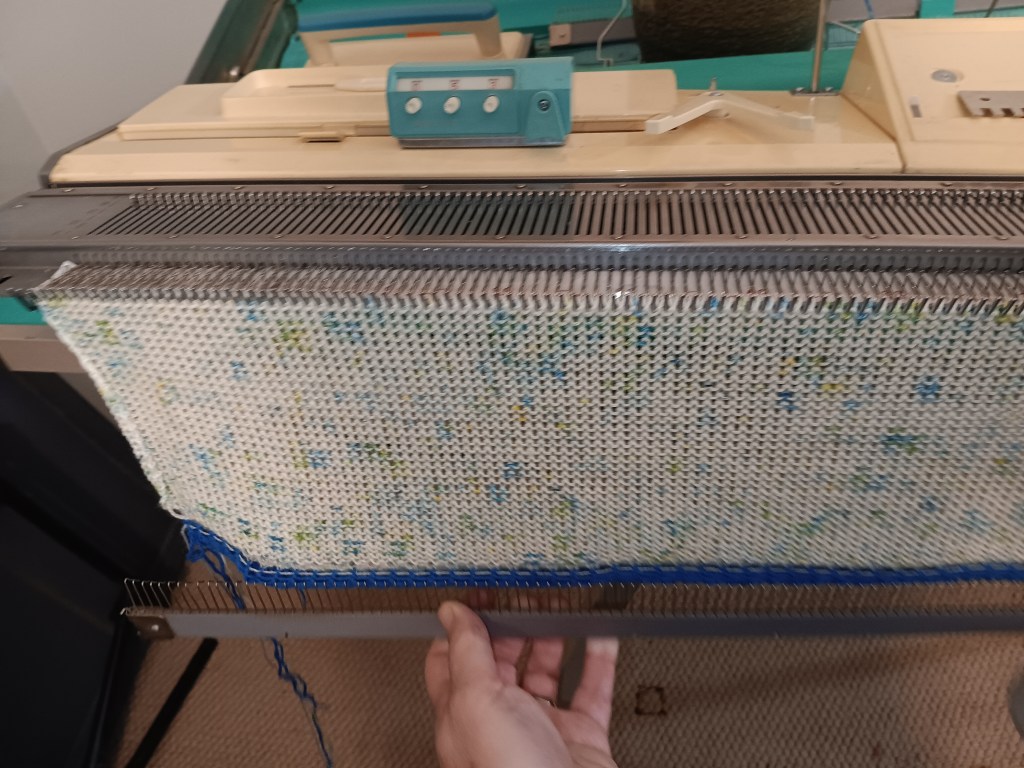
The panel I knitted during all these tests was converted to this 3-in-1 berett/cowl/hood shown below.

Turned out pretty good!!

Now about imperfections:

The most obvious imperfection is the scratches on the main carriage. They seem to be just cosmetic and did not affect the functioning of the machine.

All other impefections are also cosmetic. Like some minor dents and scratches on the lid and the case (not shown).

How to make punchcards for Brother KH800 and KH801 knitting machines.

Brother KH800 and KH801 knitting machines have unique designs for needle selection: they accept 12-stitch punchcards that are positioned flat on the special panel on the machine (called “card presser”).

Brother KH800 pattern center with the 12-hole card pressure in the middle.

If your machine came with original punchcards, you are super lucky! If you did not get the punchcards, or you want to make more cards for your own custom patterns, it is very easy to do.

Below are step-by-step instructions. You can also watch a video I made with these steps.

You need to cut a piece of paper, 20.5 x 6.5 cm (8 x 2.5 inches). Regular printer paper will work. Or print this file which shows blank cards for KH800. Another option is to print a standard set of cards (from the file downloaded here) and then punch the holes using the steps I will describe below.

Insert the cut-out punch card into the pattern card cassette holder. The manual describes all the steps of inserting the card really well. The only difference from the manual is that you will have to push the paper through the setting pins.

If your machine comes with a special puncher, you are again lucky. You can now use it to punch your pattern through the holes. If your machine did not come with it, you can use a marker with a relatively thick end. Ideally, find a marker that no longer draws (dried up or broken) so it does not draw on the machine.

Continue punching holes according to your desired pattern.

The holes do not have to be fully complete: they just need to be open enough for the patterning rods to go through upon activation.

Watch in the second half of my video how I tested and ensured that the rods indeed went through.

Happy punching and Happy knitting!

Also, read or watch about the patterning mechanism of Brother KH800/801.

Retaining bar vs knitting machine model chart

The table below lists the lengths and widths of various knitting machines I measured myself. Use this table as a reference to ensure you purchase the correct retaining bar for your machine.


Model
Retaining bar
materialsponge?length, inch/cmwidth, inch/mm
Brother KH500metalyes41/1040.375/10-10.5
Brother KH551metalyes41/1040.375/10-10.5
Brother KH552metalyes41/1040.5/11-11.5
Brother KH581metalyes41/1040.5/11-11.5
Brother KH585metalyes41/1040.5/11-11.5
Brother KH588metalyes41/1040.5/11-11.5
Brother (Genie) 710metalyes41/1040.5/11-11.5
Brother KH800metalyes41/1040.5/11-11.5
Brother KR810 ribberplasticno
Brother KR830 ribberplasticno
Brother KR850
ribber
plasticno
Silver Reed SK120metalyes42/1095 mm/0.2 inch

About retaining bars in knitting machines and ribbers.

… this article is in constant progress as I learn about various knitting machines and their retaining bars.

Almost all knitting machines and ribbers have retaining bars. Some machines have retaining bars with a sponge attached to them. Some machines (the majority of plastic flatbed machines) have only a long and narrow sponge (without the metal holder). Ribbers come with either a “retaining bar+sponge” assemble or only with the plastic retaining bar (no sponge strip).

The main role of these retaining bars is to hold the needles in place and to prevent it from bouncing up and down when knitting.

Below are the situations when you want and need to remove (and inspect in many cases) the retaining bar:

  1. When you just purchased your machine (especially used and NOT recently serviced), the first thing you need to do is to remove your retaining bar and inspect it. I made a short video on how to do it because I have been asked about it so many times by my customers.
  2. When you need to replace faulty needles.
  3. When you need to clean your machine.
  4. When you notice your knitting machine mispatterning without any good reason.

Hopefully, you purchased your knitting machine new or recently serviced. In this case, the sponge should be 1-2 cm above the metal edge of the retaining bar.

But in most cases, this is not the case. Thus, it is possible that when you remove the retaining bar, you will see a disintegrated sponge. I’ve seen some spongy strips being just a gooey mess. The old sponge needs to be removed as soon as possible (since it often corrodes the needles) and replaced.

There are two ways to approach this replacement.

First approach: just replace the spongy strip

If you decide to replace the sponge, you will need to remove all this goo. I first use a flat-head screwdriver to scrape all the residue out of the retaining bar canal. Then, I use “Goo Gone” to remove the rest of the residue. I typically do it outside because it is a very messy process. I pour a thin layer of “Goo Gone” liquid into the retaining bar and wait for hours. Then I scrape the remains of the old sponge again with the screwdriver. Lastly, I wash the retaining bar with soap and water, wipe it really well and let it dry (or blow dry it). You can purchase just the sponge in my store.

I sometimes read in forums that some thrifty machine knitters get a simple weather stripping and use them as sponge strips. Well, those have different dentistry and sometimes do not have a silky ribbon on one side. Also, they are not suited to be exposed to oils and might decompose rapidly leaving a sticky (potentially unremovable) residue inside your machine.

I read that experienced machine knitters use different ways to attach the spongy strip to the retaining bar. (By the way, the width of the spongy strip is not as critical and it can be a little bit narrower than the channel of the retaining bar but not by much). I tried different glues and my current choice is hot glue. Some machine knitters use wood glue. I apply the glue to the metal part of the retaining bar and attach the strip to the metal by the sponge side (not the silky ribbon side). I then tape the ends if the sponge to the plastic ends. I like using medical tape. Only one layer of the tape is enough to secure the ends of the sponge. More layers will only get stuck when you insert the newly refurbished retaining bar back into the machine. To avoid stripping this tape, push it down on the ends of the retaining bar while inserting it into the machine.

Second approach: buy a new retaining bar

Or if you do not feel like dealing with all this mess, you can purchase a retaining bar with a sponge already in it. Before you order a new retaining bar, make sure you measure the dimensions of your old bar: its width and its length.

Most commonly used by machine knitters Brother, Studio/Silver Reed/Singer, and Toyota knitting machines have somewhat similar retaining bars but there are some differences depending on the model and the gauge of the machine.

For the retaining bars for these machines, there are three different lengths (41, 43, and 47 inches) and two different widths (0.375 and 0.5 inches). This is why it is important to measure your old retaining bar to ensure that you are getting the retaining bar suitable for your machine. Most JUKI, Toyota, Silger/Silver Reed/Studio, Artisan knitting machines use 0.375-inch wide retaining bars. The lengths are either 41 or 43 inches (depending on the model).

I’ve read stories on FaceBook groups, where the new machine knitters were puzzled by the fact that they JUST replaced the sponge bar and the needles do not move, advance, or retract the way they are supposed to. I especially see I happen to be the owner of 8-push button Brother knitting machines. There is somewhere out there some incorrect information on the retaining bar for these machines. 4-push-button machines use a 0.375-inch wide retaining bar and the 8-pushbutton machines use a 0.25-inch wide retaining bar. (I’ve refurbished over a dozen pushbutton machines and I know the difference first-hand).

Brother ribbers use plastic retaining bars without sponges. When (re) inserting the retaining bar into the Brother ribbers, the concave surface (the “channel”) should face you.

There are machines with unique retaining bars – I will update the blog soon when I learn more. I am also putting a table on machines (and models) and retaining bar compatibility. Stay tuned!

In the meantime, enjoy your adventure in retaining/sponge bar replacement!

PS. I measured several dozens of retaining bars with my calipers. Even though the “official” measurement is 0.375 and 0.5 inches, mine are measured as 0.40-0.41 and 0.44-0.46 inches respectively. This inaccuracy in inches makes me like the mm scale (aka metric) a bit better. So the narrower retaining bars are 10.0-10.5 mm while the wider are 11-12 mm wide. Who knew that just 1 mm would make such a difference but it does! I had an incorrect bar installed on my KH581 8-pushbutton machine and the needles would not go back from E to B (or A) position!!!

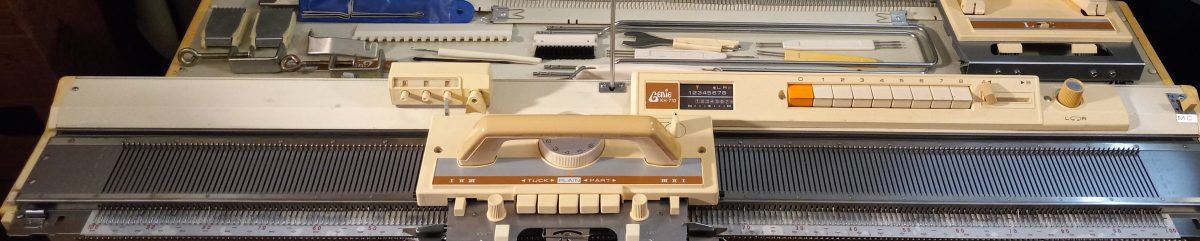
Personal knitting machines museum (those I personally tested_.

MACHINES:

Standard (4.5 mm gauge/distance between needles):

Basic models: Brother KH550

4-push buttons: Brother KH551

8-push buttons: Brother KH552, Brother KH581, Brother KH585, Brother KH588,  Brother KH601, Brother (Genie) KH710

Punch-cards:

Studio/Silver Reed.Studio.Empisal: Singer 321, Studio 326, Studio 360K, Singer 360K, Singer 210, Singer 700 memomatic

Brother: KH800, KH830, KH836, KH840, KH860, KH890,

Electronic: Brother KH930,  Brother KH930e, Brother KH940

Mid-gauge:

Basic models: KX350 (7 mm gauge), KnitKing Simple Seven (7 mm),  Singer KH100 (8 mm gauge)

Bulky:

Basic models: Brother KH210 (9 mm), Silver Reed SK120 (8 mm)

Punch-cards: Brother 260, Brother 260e

RIBBERS:

Standard: Studio SRN321, Brother KR580, Brother KR810, Brother KR830, Brother KR850, Brother KR850e,

Bulky:

List of pros and cons of knitting machines I used

…in progress. Updated: June 2025

abbreviations:

b-in = built-in

mb = metal bed

sg = standard gauge

st = stitch

mb, sg, 200 needles, 24-st punchcard

https://youtu.be/L1GwyLg46V0 Can do tuck slip, 2-color fair isle; if carriage is stuck, unscrew the sinker plate, no built-in toolbox; has built-in knit leader; standard set of punchcards has only 10 cards, no hard case lid (all parts are inside a sterofoam packaging; budget, lightweight model. https://wordpress.com/post/thoughtsandknits.wordpress.com/427

m, sg, 200 needles, 24-st punchcard

https://youtu.be/27blcVPYAlw Can do tuck slip, 2-color fair isle; if carriage is stuck, unscrew the sinker plate, no built-in toolbox; no built-knit leader; compatible with standard add-ons (ribbers, knit-leaders, color changers, row counter) https://thoughtsandknits.com/2025/05/26/studio-mod-324-knitting-machine-prepared-for-lara/

md, sg 200 needles, 24-stpunchcard; b-in knit leader, tool tray

https://youtu.be/0PnXE_Bc8yc Can do tuck slip, 2-color fair isle; if carriage is stuck, unscrew the sinker plate, no built-in (but has stand-alone) toolbox; compatible with standard add-ons (ribbers, color changers, row counters) https://thoughtsandknits.com/2022/06/11/studio-326/

XXX

XXX

XXX

XXX

XXX

XXX

XXX

XXX

XXX

List of machines I tested/refurbished/cleaned/fixed

Updated: March 2025;

Total machine count: 68

2 circular plastic

3 bulky basic

2 bulky punchcard

6 mid-gauge plastic bed

2 standard basic

5 four-pushbutton

9 eight-pushbutton

22 standard-gauge punchcard

13 ribbers

4 electronic standard-gauge

Specific Machines:

Addi King 46 needles

Add Express 22 needles

Brother KH210

Brother KH230

Brother KH260 (two) 

Brother KX350 (five)

Brother KH500 (two)

Brother KH551 (five)

Brother KH552

Brother KH581

Brother KH585 (two)

Brother KH588 (two)

Brother KH601

Brother KH710 (two)

Brother KH800

Brother KH830 (two)

Brother KH836

Brother KH840

Brother KH860

Brother KH881 (two)

Brother KH890

Brother KH892

Brother KH930 (four)

Silver Reed SK120

Singer HK100

Singer 210 Memomatic

Singer 321 (tw0)

Studio mod. 324 and Empisal Knitmaster 324 (two)

Singer 360K and Studio mod. 360 (six)

Singer mod. 700 MemoMatic (two)

Studio 326

Ribbers

Brother KR260 (two)

Brother KR551

Brother KR580

Brother KR810

Brother KR830 (four)

Brother KR850 (three)

Studio SRN321